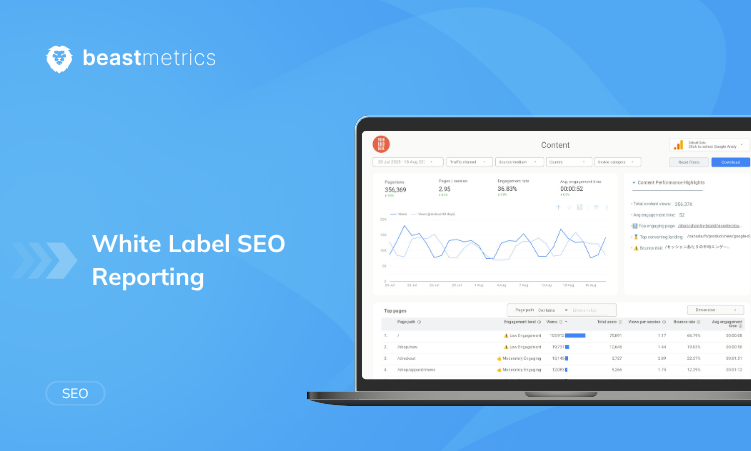
Last updated: September 2026.
A white label SEO report is a client-facing SEO performance report that carries your agency’s brand (your logo, colors, and often your own domain and email sender) instead of the reporting software’s. It typically combines keyword rankings, Google Search Console and GA4 data, backlinks, technical health, and a short written summary of what changed and what comes next.
Below: what to put in one, a sample outline you can copy, how the main white label SEO reporting tools compare in 2026, how to build and automate a report step by step, and how to do it for free in Looker Studio with a template.
Key takeaways
- A useful report answers three questions: what changed, why, and what happens next. Charts cover the first; your written summary covers the rest.
- “White label” means different things in different tools. Some only let you add a logo; others add a custom domain, a branded email sender, and a client login portal.
- Looker Studio (renamed Data Studio in April 2026) is free and lets you apply your logo and colors, but reports stay on Google’s domain and there’s no built-in client portal.
What is a white label SEO report?
A white label SEO report is an SEO report produced with third-party software but presented entirely under your agency’s brand. The client sees your logo, your colors, and ideally your web address and email address. The software vendor’s name doesn’t appear.
In practice, you connect each client’s data sources (Google Analytics 4, Google Search Console, a rank tracker, a backlink tool) to a reporting platform, design a branded template once, and the platform fills it with fresh data for every client and period. The term is also used for reports that a white label SEO provider (a subcontractor doing the SEO work) prepares for an agency to pass on. Either way, the end client should only see your brand.
White label vs. branded vs. co-branded reports
| Report type | What the client sees | Typical use |
|---|---|---|
| White label | Only your brand: logo, colors, and usually your own report domain (for example reports.youragency.com) and email sender. No vendor branding. | Agencies and resellers who want reports to look like their own product. |
| Branded (custom-branded) | Your logo and colors, but the tool’s name can still show in the URL, footer, or sender address. | Freelancers and in-house teams where vendor branding doesn’t matter. |
| Co-branded | Your brand next to a partner’s or the client’s brand. | Disclosed partnerships, or reports shared with a client’s internal teams. |
Many tools only reach the branded level on cheaper plans or without add-ons. Check four things separately: logo and colors, custom domain, email sender, and client portal.
What to include in a white label SEO report
Most monthly white label SEO reports cover the same ground. Use this checklist and drop anything the client won’t act on.
- Executive summary. Three to five sentences written by a person: what changed, why, and what you’re doing next. Put it first; many clients read nothing else.
- Organic traffic (GA4). Sessions and users where the session default channel group is Organic Search, compared with the previous period and the same period last year.
- Search Console performance. Clicks, impressions, click-through rate (CTR), and average position. This is Google’s own search data, and Search Console keeps 16 months of it, enough for year-over-year comparisons.
- Keyword rankings. Positions for the commercially important terms, with movement since the last report. Show the biggest gains and losses, not every tracked keyword.
- Top pages. Landing pages by organic clicks or sessions, plus the biggest gainers and losers.
- Conversions from organic search. Leads, sales, calls, or sign-ups, tracked as key events in GA4 or pulled from the client’s CRM. This is the section that connects SEO to revenue.
- Backlinks. New and lost referring domains and notable links, from Ahrefs, Semrush, SE Ranking, or Moz.
- Technical health. Indexing issues and Core Web Vitals from Search Console, plus site audit highlights. Flag only what needs attention.
- Work completed. Pages published or rewritten, fixes deployed, links built. Clients pay for work, and this section shows it.
- Next steps. Three to five specific actions for the next period, each with an owner and a date.
For local SEO clients, add Google Business Profile metrics and local pack rankings; for ecommerce, add organic revenue and product page performance. For more on the rankings section, see our guide to building a search engine ranking report.
How long should it be? Short. A one- or two-page summary plus a live dashboard works for most clients; cut any section that never changes a decision.
Sample white label SEO report structure
Here’s an outline for a monthly white label SEO report. It works as a PDF, a slide deck, or a dashboard with one page per section.
| # | Section | What it shows | Data source |
|---|---|---|---|
| 1 | Cover | Your logo, the client’s name, the reporting period | Your template |
| 2 | Executive summary | Results, causes, and next steps in three to five sentences | Written by you |
| 3 | Organic performance | Organic sessions, users, and key events vs. last period and last year | GA4 |
| 4 | Search visibility | Clicks, impressions, CTR, and average position, with a trend chart | Google Search Console |
| 5 | Keyword rankings | Biggest movers, keywords entering the top 10, share of tracked keywords on page one | Your rank tracker |
| 6 | Top pages | Top landing pages by organic clicks; biggest gainers and losers | Search Console and GA4 |
| 7 | Conversions | Leads, sales, or sign-ups from organic; conversion rate by landing page | GA4 or CRM |
| 8 | Backlinks | New and lost referring domains; notable links | Ahrefs, Semrush, SE Ranking, or Moz |
| 9 | Technical health | Indexing issues, Core Web Vitals, audit highlights | Search Console and your audit tool |
| 10 | Work completed | Tasks shipped this period | Your project tracker |
| 11 | Next steps | Three to five prioritized actions for next period | Written by you |
Here’s what a good executive summary sounds like. The numbers are a made-up example, not client data:
Organic clicks rose 14% compared with last month, mostly from the three service pages we rewrote in June. Two of them now rank in the top five for their main terms. Organic leads were flat because the contact form was broken on mobile for nine days; that’s fixed. Next month we’re publishing two comparison pages and adding internal links from the blog to the service pages.
The order is result, cause, problem, next action. It works whether the month was good or bad. For the Search Console part of the report, our guide to Search Console dashboard reporting goes into more detail.
Best white label SEO reporting tools compared (2026)
The table compares each tool based on its own feature and pricing pages as of September 2026. Prices change often, so check before you buy.
| Tool | White-label features | SEO data sources | Starting price as of Sept 2026 | Best for |
|---|---|---|---|---|
| AgencyAnalytics | Logo, brand colors, custom domain, branded client login, reports sent from your email, branded mobile app | 85+ integrations, including GA4, Search Console, Semrush, and Ahrefs; built-in rank tracker | $20 per client per month, billed annually | Agencies that want a branded client portal covering SEO, PPC, and social |
| DashThis | Logo, colors, custom domain, custom email sender, DashThis branding removed (all paid plans) | 30+ integrations, including GA4, Search Console, and Semrush | $44/month (Individual plan, 3 dashboards) | Small agencies that share dashboards by link, PDF, or email |
| SE Ranking (Agency Pack) | Custom domain, logo, colors, branded PDF reports, read-only client seats, reports sent from your email or SMTP server | SE Ranking’s own rankings, site audit, and backlink data; GA4 and Search Console integrations | Agency Pack add-on $69/month, billed annually, on top of an SE Ranking plan (see pricing page for eligible plans) | SEO-focused agencies that want rank tracking, audits, and reporting in one tool |
| Semrush My Reports | On Pro reports: Semrush attribution removed, your branding and themes, custom domain, live dashboard links | Semrush data, GA4, and Search Console; 20+ third-party integrations on Pro reports | $20 per Pro report per month (Base reports are $10 but don’t include white-labeling) | Agencies already paying for Semrush |
| Whatagraph | Logo, colors, fonts, custom domain, custom email sender, password-protected live links | GA4, Search Console, Semrush, Ahrefs, and SE Ranking, plus PPC, social, and CRM sources | Plans from €699/month, billed annually; white-label dashboards and a custom report domain may cost extra (see pricing page) | Larger agencies reporting across many channels |
| Swydo | Logo, colors, fonts, custom domain, custom email sender, Swydo branding removed (all plans) | 38+ integrations, including GA4, Search Console, and Semrush | €69/month for 10 data sources with unlimited clients (USD pricing outside the EU) | Agencies with many small clients, since pricing is per data source rather than per client |
| Looker Studio (now Data Studio) | Your logo, colors, and theme. No custom domain, no built-in client portal, and embedded reports show a Data Studio watermark | Free Google connectors for GA4, Search Console, and Google Ads; third-party data through partner connectors, many of them paid | Free | Agencies comfortable building reports, or anyone starting from a template |
How to choose a white label SEO reporting tool
- How invisible must the vendor be? If the client should never see another company’s name, you need a custom domain and a custom email sender, not just a logo upload. Check which plan or add-on includes both.
- Do clients need their own login? AgencyAnalytics offers a branded client login and SE Ranking offers read-only client seats. DashThis, Swydo, and Whatagraph mainly share dashboards by link on your domain. More on this in our guide to client reporting dashboards.
- Which pricing model fits? AgencyAnalytics charges per client, DashThis by number of dashboards, Swydo per data source, and Semrush per report. Price it with your real client count.
- What do you already pay for? If rank tracking lives in Semrush or SE Ranking, their built-in reporting may be the cheapest route. For SEO plus PPC and social, a multi-channel tool fits better.
- Test with a real client. AgencyAnalytics and Swydo both offer 14-day free trials. Build one real report, custom domain included, before you commit.
How to create a white label SEO report, step by step
- Agree on goals. Pick the 5 to 10 metrics tied to what the client cares about (leads, sales, calls) and write them down.
- Pick a tool that matches the white-label level you need, using the comparison above.
- Connect the data. Add GA4, Search Console, your rank tracker, and your backlink tool. Use the client’s own GA4 and Search Console accounts with your agency added as a user, so the data stays with the client if you part ways.
- Build one master template. Follow the outline above, add your logo, colors, and fonts, and label metrics in plain language with a one-line note under each chart.
- Set up the branding details. Point a subdomain such as reports.youragency.com at the tool (usually a CNAME record at your DNS provider) and verify your email sending domain.
- Set comparison periods. Show month over month and year over year.
- Write the summary and next steps. This is the part clients remember.
- Review, send, and discuss. Check for broken connectors and odd spikes, send it a couple of days before your client call, and walk through it together.
Replacing an older format? Pilot it with two or three clients first, then roll it out with a short walkthrough video.
How to automate white label SEO reports
Automation means the data refreshes and the report goes out without anyone copying numbers between tabs. Three pieces do the work:
- Data connectors pull GA4, Search Console, ranking, and backlink data on a schedule. Check them monthly; an expired authorization is a common cause of blank charts.
- Templates. Build one master template per report type and reuse it for every client, with that client’s data sources connected.
- Scheduled delivery. Pick a fixed day each month and let the tool email a PDF plus a link to the live dashboard. AgencyAnalytics, DashThis, SE Ranking, Swydo, and Whatagraph can send scheduled reports from your own email domain.
Keep the executive summary and next steps manual. Semrush, SE Ranking, and Swydo offer AI-generated summaries; treat them as a first draft, because they describe what changed but rarely know why. Monthly reports suit most retainers, with weekly ones during migrations or launches.
For a full walkthrough of setting up automated SEO reporting, see our guide to automated SEO reports.
How to create a white label SEO report in Looker Studio for free
Looker Studio is the most common free option for agency SEO reports. Google renamed it back to Data Studio in April 2026; existing reports and links carried over automatically, and the core product is still free. Here’s what it does and doesn’t do for white label reporting.
What you can do:
- Build reports at no cost with Google’s connectors for GA4, Search Console, and Google Ads.
- Match your brand: add your logo, set colors and fonts in Theme and layout, or use Extract theme from image to build a theme from your logo.
- Email it on a schedule. Scheduled delivery sends a PDF of selected pages to up to 50 recipients daily, weekly, monthly, or on a custom schedule, with a link to the live report. On the free version, a schedule runs at most once a day.
- Share by link. With link sharing on, clients can view the report without a Google account.
What you can’t do:
- Use a custom domain. Report links stay on Google’s domain.
- Hide the platform when embedding. You can embed a report on your own site with an iframe, but embedded reports always show the Data Studio watermark.
- Give clients a branded portal. There’s no built-in client login. The usual workaround is a private page on your site with each client’s report embedded, watermark included.
So Looker Studio gives you a branded report rather than a fully white label one. For many clients that’s fine: they care about your logo and clear numbers, not the URL.
Build it from a template
- Pick a template. Start with the All-in-One Google Search Console Template for search visibility, or the Ultimate Website Dashboard for GA4, Search Console, and Google Ads in one report. For traffic only, use the GA4 report template.
- Connect the client’s data: their GA4 property and Search Console site.
- Brand it. Swap in your logo, extract a theme from it, and set your fonts.
- Add the human parts: a text box for the executive summary and a page for work completed and next steps.
- Share and schedule a monthly delivery, then copy the finished report for each new client and swap in their data sources.
Browse all our Looker Studio templates or compare free vs. paid Looker Studio templates. Move to a paid white label tool when you need a custom domain or client logins, or when maintaining a copy per client takes more time than a subscription is worth.
Why agencies use white label SEO reports
- Your brand, not your toolset, is what the client sees.
- One format across clients is faster to produce and easier to read month after month.
- Everything in one place: clients don’t need to log into five tools.
- Predictable delivery, even when the account manager is on holiday.
Time saved varies by agency. As an illustrative estimate: if pulling data and building charts takes about 45 minutes per client per month by hand, and automation cuts that to about 10 minutes of checking, a 20-client agency saves roughly 12 hours a month. Swap in your own numbers.
Common mistakes with white label SEO reports
- Reporting everything. Long reports get skimmed. Keep the main report to what drives decisions and leave the rest in the live dashboard.
- Charts with no context. A rising line doesn’t say what it means or what’s next. Always include the written summary.
- Leaning on third-party estimates. Traffic figures in SEO tools are modeled. Use Search Console and GA4 for actual clicks and conversions, and third-party tools for rankings and backlinks.
- Half white-labeling. A vendor name in the URL or sender address undoes the logo. Set up the custom domain and email sender first.
- Irregular timing and no follow-up. Send reports on the same day each month, and use them to set up your next client call, not replace it.
For more on polishing client dashboards, see why marketing dashboards look unprofessional and how to fix it.