TL;DR:
- Most advertisers waste 30-40% of PPC budgets fighting the wrong battles while competitors quietly dominate profitable keyword gaps
- The Position Above Rate metric (hidden in Google Auction Insights) predicts exactly which rivals threaten your visibility and whether you need better bids or better Quality Score
- Long-tail competitive intelligence delivers 3-5x higher ROI than broad keyword warfare: we found a SaaS client’s competitors ignored 43 keywords at $8 CPC that converted better than their $47 “hero” terms
- Free tools (Google Auction Insights + Transparency Center) provide 80% of the intelligence expensive platforms offer if you know which metrics actually matter
Your competitor’s ad sits at position 1. Yours languishes at position 3. Same keyword. Similar bid. They’re winning. You’ve increased budgets and tested new copies with minimal results. Here’s the truth: they’re not outspending you, they’re outsmarting you.
Here’s the uncomfortable truth I learned after analyzing 200+ competitive PPC scenarios over the past decade: Your competitor isn’t outspending you. They’re outsmarting you. They’ve identified the exact keywords you’re ignoring, psychological triggers that convert, and Quality Score advantages that deliver better positions at lower costs.
Most advertisers approach PPC like a budget auction: “Whoever spends more wins.” That’s exactly what your smarter competitors want you to believe while they systematically capture market share you didn’t even know existed. With global search advertising spending projected to reach $351.55 billion in 2025, the competitive landscape has never been more intense or expensive. Understanding what your competitors do differently isn’t optional anymore. It’s survival.
Quick Answer:
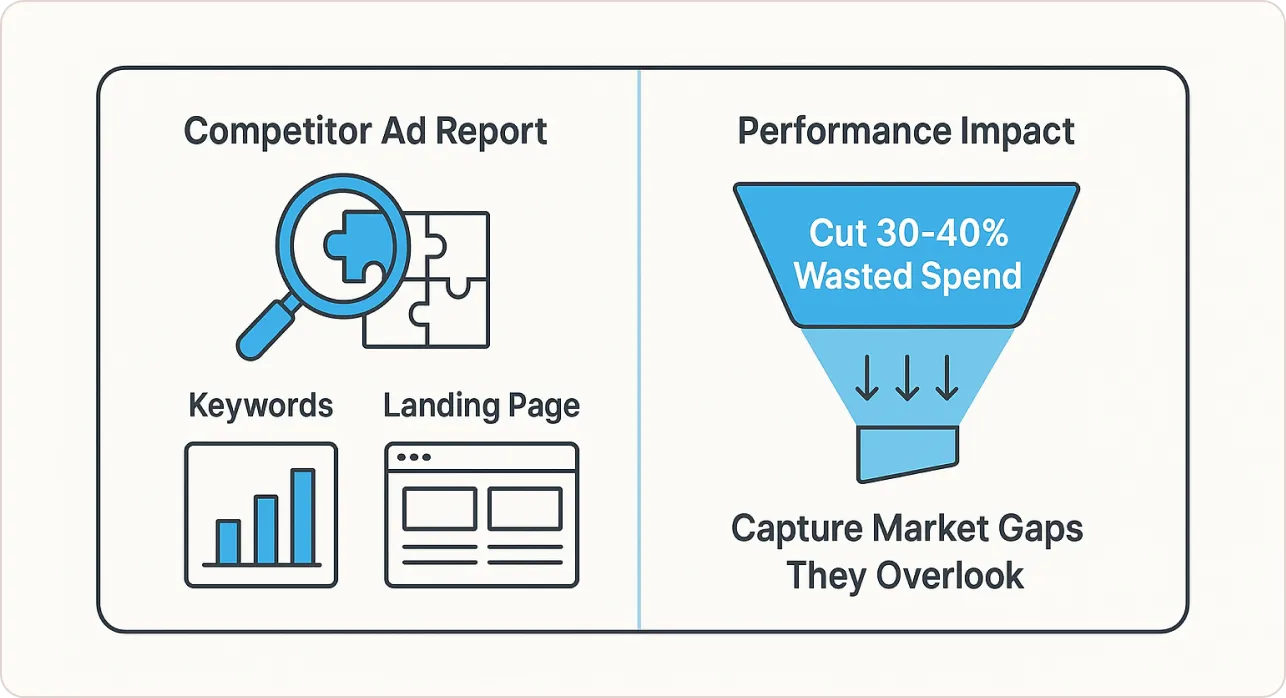
Competitive PPC analysis reveals which keywords, ads, and landing pages drive your rivals’ results so you can outmaneuver them without outspending them. The right analysis cuts wasted ad spend by 30-40% while capturing untapped market share competitors miss.
What Competitive PPC Analysis Actually Means
Competitive PPC analysis is the systematic process of reverse-engineering rival paid search strategies to identify gaps, weaknesses, and opportunities you can exploit. It’s intelligence gathering, not imitation.
Let me be direct: I’m not talking about casually glancing at a few competitor ads and calling it “research.” I mean a forensic examination of their entire paid search ecosystem from the keywords they target and the ad variations they test, to the landing page experiences they’ve optimized and the bidding patterns they’ve established over months of investment.
What genuine competitor PPC analysis reveals:
- Profitable keywords competitors target that you’re missing (often long-tail terms with 10x better ROI)
- Ad messages and psychological triggers resonating with your shared audience
- Quality Score advantages letting rivals outrank you for less money
- Budget allocation patterns revealing their strategic priorities
What it is NOT:
- Copying competitor ads word-for-word
- Obsessing over every competitor move
- Using third-party spend estimates as gospel
- Daily stalking without systematic methodology
“Competitive analysis isn’t about copying what works for others; it’s about understanding market dynamics so you can make informed decisions about where to compete and where to differentiate.” – Brad Geddes, founder of Adalysis and Google Ads pioneer
The 3 Myths Sabotaging Your Competitor Analysis
Before I walk you through the framework, let’s destroy three dangerous myths I see constantly:
Myth #1: “Bigger Budgets Always Win”
The Reality: Quality Score is the great equalizer. Google’s Ad Rank algorithm multiplies your bid by your Quality Score. A competitor with a Quality Score of 9 can outrank your Quality Score of 6 while bidding 30% less.
When you conduct competitive paid search audit activities, you’re not looking for who spends the most. You’re looking for who’s winning Quality Score advantages you can replicate.
Myth #2: “Auction Insights Shows All My Real Competitors”
The Truth: Auction Insights only shows competitors appearing in auctions you’re already in. The most dangerous competitors are those dominating auctions you’re not even participating in the profitable keyword gaps you don’t know exist.
A project management software client tracked competitors on “project management tools” while four smaller rivals dominated niche terms like “agile sprint planning software for remote teams” with fantastic conversion rates and minimal competition.
Myth #3: “Competitive Analysis Is a One-Time Project”
The Reality: Markets shift constantly. A competitor might test new messaging on Monday that crushes your CTR by Friday. New entrants appear. Seasonal patterns emerge. Budget allocations change.
Run light competitive scans weekly (15 minutes) and deep quarterly audits (4-6 hours). Weekly scans catch tactical changes before they cost serious money; quarterly audits identify strategic shifts and long-term patterns.
The 7-Step Competitive PPC Analysis Framework
Here’s the exact process I use for every client audit. No fluff, no theory, this is the operational playbook that generates results.
Step 1: Map Your REAL Competitive Landscape
Most people list their obvious business rivals and call it done. Wrong. Your PPC competitors are defined by who’s bidding on your keywords, not who competes with your product offline.
Start with Auction Insights: Open Google Ads, navigate to any active campaign, click “Auction Insights” in the left menu. This free tool shows domains competing in your actual auctions with five critical metrics:
- Impression Share: Percentage of possible impressions they received
- Overlap Rate: How often they appear when you appear (this identifies your most frequent head-to-head rivals)
- Position Above Rate: How often they rank higher when both appear (this is gold we’ll leverage this heavily)
- Top of Page Rate: How often they appear above organic results
- Absolute Top of Page Rate: How often they’re in the coveted position 1
Export this data. Sort by “Overlap Rate” descending to identify your most direct, persistent competitors.
Expand with Third-Party Intelligence: Use SpyFu or SEMrush to discover competitors you didn’t know about. Enter your main keywords; these tools show every domain bidding on them. Often you’ll find aggressive newcomers, affiliates, or indirect competitors you’d never considered.
Segment Into Three Priority Categories:
- Direct Threats: High overlap, high position above rate actively taking your clicks and conversions
- Adjacent Opportunities: Competitors targeting related keywords you should consider expanding into
- Brand Protection: Entities bidding on your brand terms (monitor for trademark violations that dilute your brand equity)
Reality Check: A boutique hotel client obsessed over analyzing Marriott and Hilton. Their Auction Insights revealed their real competitors were Airbnb hosts, VRBO listings, and local B&Bs. Completely different strategic implications. We shifted focus to differentiating against “home-like” messaging rather than luxury positioning and their conversion rate improved 47% in one quarter.
Need a systematic way to track these competitive insights? Professional dashboards transform raw Auction Insights data into visual competitive tracking reports that highlight position changes, impression share trends, and emerging threats automatically.
Step 2: Conduct Forensic Keyword Intelligence
This is where most analyses stay superficial. They export competitor keyword lists and call it done. I go three levels deeper.
Layer 1: Identify Pure Keyword Gaps
Use SpyFu (budget option at $39/month) or SEMrush (comprehensive at $139.95/month) to export competitors’ full keyword portfolios. I typically analyze 3-5 top competitors and import all keywords into a master spreadsheet.
Cross-reference against your current keyword list. Identify:
- Pure Gaps: Keywords they target that you completely ignore
- Underinvestment Gaps: Keywords where they clearly invest heavily (high estimated spend) but you treat as low priority
- Opportunity Gaps: Long-tail variations they’re testing that you haven’t considered
The Filter That Actually Works: I prioritize keywords meeting these criteria:
- Search volume 100-2,000/month
- Multiple competitors bidding
- Current impression share below 30%
- Contains 4+ words (long-tail qualification)
Layer 2: Decode Commercial Intent
Not all keywords are equal. Sort competitor keywords by estimated CPC (descending). The highest CPC keywords reveal what they’ve proven profitable through sustained investment.
According to WordStream’s industry benchmarks, average CPC across industries is $2.69 for search ads, but high-intent keywords in competitive sectors command premiums because they convert. If three competitors bid $30+ on a phrase, it converts profitably.
Layer 3: Reverse-Engineer Negative Keyword Strategy
This is advanced but powerful. Search broad terms and note which competitors appear, then add modifiers like “free,” “cheap,” “DIY” and note who disappears. This reveals their negative keyword strategy—terms they’ve proven attract tire-kickers, not buyers.
Real Example: We discovered a competitor dominated “construction project management software” but was completely absent for “construction project management template” and “construction project management spreadsheet.” They’d clearly added “template” and “spreadsheet” as negatives targeting paying customers, not free/DIY seekers.
We implemented the same negative keywords, cutting irrelevant clicks by 22% and improving conversion rate by 18%.
Step 3: Reverse-Engineer Ad Copy That Actually Works
Your competitors are running live split tests with real budgets. Learn from their investments without spending a dime on failed experiments.
The Systematic Approach:
Create a spreadsheet tracking: Competitor | Keyword | Headlines | Description | CTA | Ad Extensions | First Seen | Still Running?
What I’m Actually Looking For:
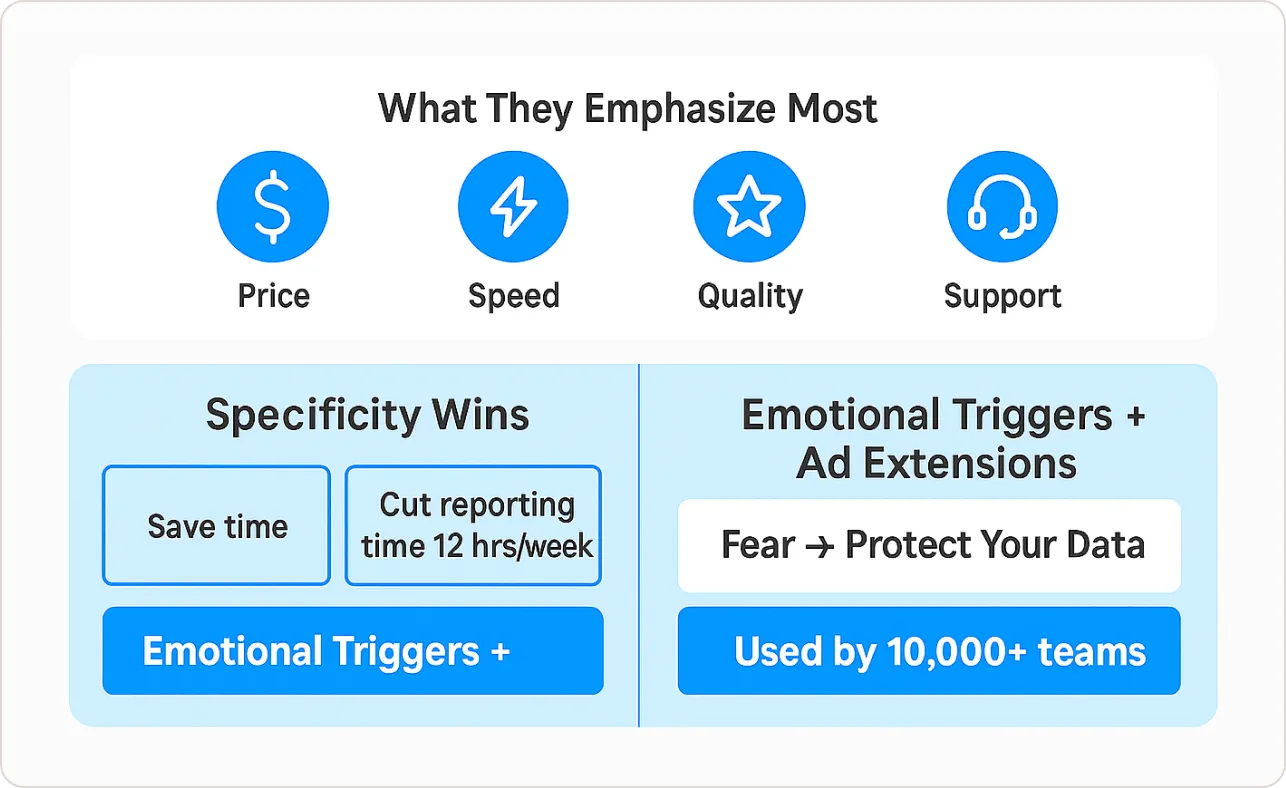
- Value Proposition Patterns: Do they emphasize price, speed, quality, or support?
- Specificity: “Cut reporting time by 12 hours/week” beats “Save time on reporting”
- Emotional Triggers: Urgency, social proof, fear/risk aversion, aspiration
- Ad Extension Priorities: Reveals conversion funnel priorities
The AI Copy Problem: Seventy-five percent of PPC marketers now use AI for ad copywriting. You can spot AI-generated ads by their formulaic sameness: “[Benefit] + [Feature] + [CTA]” with no personality or brand voice.
When I find competitors using generic AI copy, that’s an opportunity to differentiate through authentic, human-centered messaging addressing specific pain points with personality.
Don’t copy, adapt and differentiate. If competitors emphasize “fast setup,” test “Ready in 5 minutes vs. 3 days with legacy tools.”
Step 4: Audit Landing Pages Like a Conversion Expert
The ad gets the click. The landing page gets the conversion. Dedicated PPC landing pages convert 65% better than sending traffic to generic website pages. When conducting PPC advertising competitor analysis, systematically evaluate:
1. Message Match (Score 0-10): Does the landing page headline directly echo the ad’s promise? If the ad says “Automate reporting in 5 minutes” and the landing page says “Welcome to [Product Name],” that disconnect kills conversions. Perfect message match scores 9-10.
2. Page Speed: I pull their landing page URL into Google PageSpeed Insights. If they load in under 2 seconds and we load in 4-5 seconds, we have a Quality Score problem that directly increases our CPCs and lowers our ad positions.
3. Value Proposition Clarity: Within 5 seconds of landing, can I articulate what they do and why I should care? I literally set a timer. If I’m confused after 5 seconds, so are their visitors but if their ads still run consistently, they’ve overcome that weakness through other advantages.
4. Social Proof Density: Count customer logos, testimonials, case study links, review scores, usage statistics (“10,000+ teams trust us”).
5. CTA Design and Friction:
- What’s the primary call-to-action? (Free trial, demo, purchase, consultation, content download)
- How many CTA buttons are visible above the fold? (One focused CTA usually beats multiple competing options)
- What’s the exact copy? (“Start Free Trial” vs. “Get Started” vs. “See Pricing”)
- How many form fields? (Each additional field reduces conversion rates 5-10% on average)
6. Offer Competitiveness: What exactly are they offering? 14-day free trial versus 30-day? Freemium tier versus demo-only? Credit card required or not? This reveals their go-to-market strategy and helps you benchmark whether your offer is competitive.
7. Mobile Experience: Open the landing page on your phone. Is it genuinely responsive? Fast? Easy to convert with a thumb? With mobile devices accounting for 70% of search ad impressions in 2025, if they’re mobile-optimized and you’re not, you’re losing the majority of your traffic to inferior experiences.
8. Trust Elements: Security badges, guarantees, certifications
Real example: A financial services competitor used a two-step form versus our client’s 12-field single form. Testing the two-step approach increased lead conversions 89%, generating $340,000 in additional qualified pipeline.
Step 5: Decode Bidding Strategy Through Position Patterns
We can’t see competitors’ exact bids, but we can make precise inferences using Auction Insights combined with pattern recognition during competitor PPC analysis.
How to tell:
- High PAR but similar impression share: They’re outbidding you
- High PAR AND higher impression share: They have better Quality Score
This distinction determines whether your response matches bids or improves Quality Score.
Budget Pattern Recognition: Track estimated monthly spend trends. If competitors suddenly double spend, something changes (funding, successful launch, proven ROI). If multiple competitors increase spend on specific keywords simultaneously, those keywords are proving profitable market-wide.
Pattern Recognition Example: I noticed three competitors consistently had high impression share Tuesday-Thursday but dropped off Friday-Sunday. They were using ad scheduling to focus budget on high-converting weekdays.
We tested the same pattern and discovered our Friday-Sunday conversions cost 40% more per lead. We reallocated the budget accordingly, improving overall efficiency by 23%.
Step 6: Track Display and Retargeting (The Universal Blindspot)
Most competitive PPC analysis completely ignores display and retargeting campaigns. This is a massive strategic error.
Here’s why: If competitors run aggressive retargeting, their branded search naturally performs better because prospects are pre-warmed. Businesses earn $2 for every $1 spent on PPC advertising, but ROI depends on multi-touch attribution
How to Track Competitor Display Investment:
Manual Method (Free): Visit competitor websites, trigger their retargeting pixels, then browse normally for 2-3 days documenting:
- Which ad networks they use (Google Display, Facebook/Instagram, YouTube, LinkedIn)
- What creative messages and value propositions they’re testing
- How frequently ads appear (impression frequency reveals budget intensity)
- Which specific pages, products, or actions trigger retargeting
Strategic Implications:
Understanding their full-funnel strategy explains search performance that seems inexplicable if you only analyze search campaigns. Research shows that businesses earn $2 for every $1 spent on PPC advertising, but that ROI often depends on multi-touch attribution across channels.
If they invest heavily in display building brand awareness, their generic search terms will naturally convert better than yours not because of better search strategy, but because of brand recognition built through sustained display investment.
Step 7: Build Your Intelligence Dashboard and Prioritize Ruthlessly
Raw data is useless without translation into prioritized action. The difference between competitive PPC analysis that generates revenue and analysis that generates reports is systematic prioritization.
The Living Dashboard:
I maintain a structured tracking system with these components:
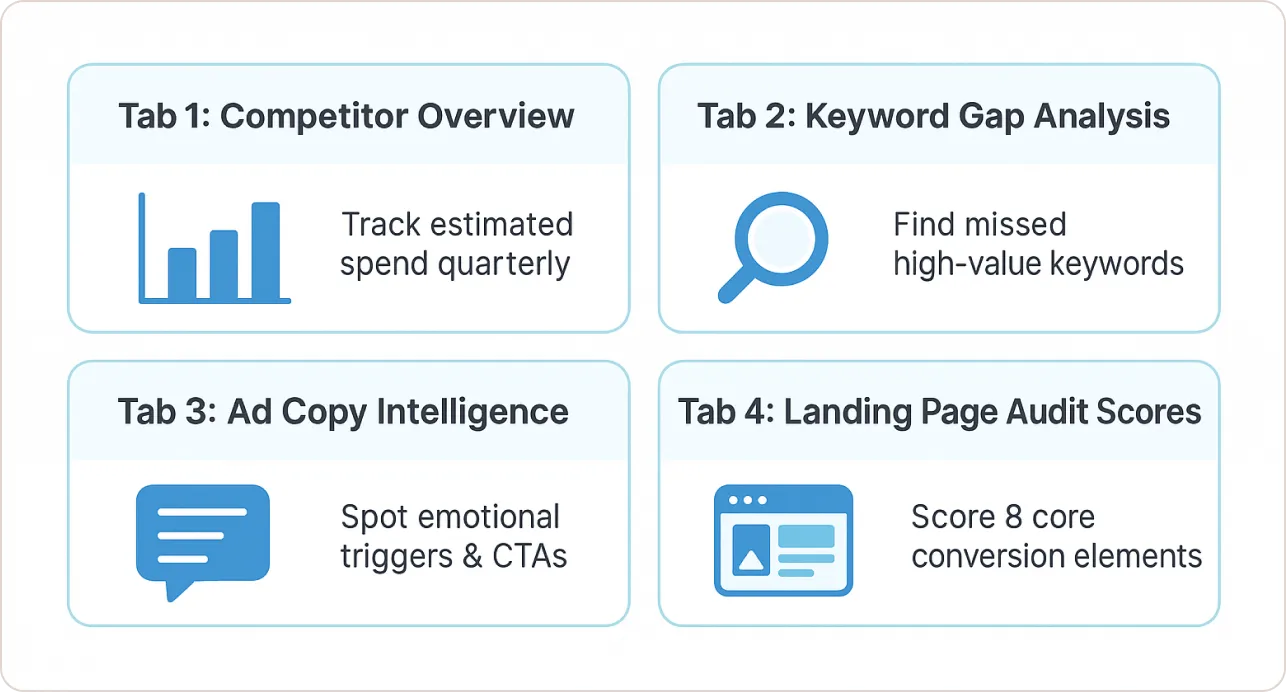
Tab 1: Competitor Overview
- Competitor names, websites, estimated monthly spend (track quarterly to spot trend changes)
- Impression share trends by quarter
- Overall strategic assessment updated quarterly
Tab 2: Keyword Gap Analysis
- Keywords they target that we don’t (sorted by estimated volume × CPC for commercial value)
- Priority scoring: High/Medium/Low based on relevance, intent, and estimated ROI
- Implementation status: Testing / Live / Rejected (with reason)
Tab 3: Ad Copy Intelligence
- Screenshots or text snapshots of competitor ads
- Headline patterns, emotional triggers, CTAs, extensions used
- Run duration tracking (ads running 3+ months are proven winners)
Tab 4: Landing Page Audit Scores
- Competitor landing page URLs with scores for each of the 8 elements
- Specific conversion elements they use that we should test
- Mobile vs. desktop experience notes
The Prioritization Framework:
- Quick Wins (This Week): Add negative keywords, test long-tail keywords, A/B test headlines
- Strategic Improvements (30 Days): Redesign landing pages, develop content assets, test new extensions
- Long-Term Moats (90 Days): Build topic authority, develop unique value propositions, create Quality Score advantages
The Essential Competitive Analysis Toolkit
You don’t need a massive budget. Here’s my actual tech stack:
Free Tools (Start Here):
1. Google Ads Auction Insights
- Most accurate competitive data available (first-party from Google)
- Shows impression share, overlap rate, position above rate
- Updates in real-time as auctions occur
- Zero cost, built into Google Ads
2. Google Ads Transparency Center
- Search any advertiser, view all active ads across Google platforms
- See creative variations, run dates, geographic targeting
- Completely free, public tool
- View all active Facebook/Instagram ads for any Page
- See copy, creative, launch dates
- Understand social PPC strategies
Paid Tools (Choose Based on Your Needs):
For Most Businesses: SpyFu ($39/month)
- Download competitor keyword lists, view ad history, see estimated budgets
- Best for budget-conscious advertisers needing historical keyword data
For Comprehensive Analysis: SEMrush ($139.95/month)
- Advertising Research toolkit shows competitor keywords, traffic estimates, ad copies
- Best for agencies and businesses needing all-in-one intelligence
For SEO/PPC Integration: Ahrefs ($99/month)
- Site Explorer shows backlinks, organic keywords, paid keywords
- Perfect for identifying keywords where competitors do both SEO and PPC
The Stack I Actually Use:
For most clients: Google Auction Insights (weekly tactical checks) + SpyFu (monthly keyword research) + Google Transparency Center (ad creative monitoring) = $39/month total
Stop Wasting Time on Manual Competitive Reporting
Here’s the reality: competitive PPC analysis generates results when insights are visible, trackable, and actionable not buried in spreadsheets that nobody checks until the quarterly review. You need dashboards that automatically track Position Above Rate trends, impression share changes, keyword performance versus benchmarks, and CPC movements.
That’s where professional reporting infrastructure matters.
BeastMetrics provides plug-and-play Looker Studio templates specifically designed for competitive PPC tracking and pay per click reporting. Built by marketers with 15+ years of hands-on experience, these templates transform raw Google Ads data into visual competitive intelligence dashboards in under 60 seconds.
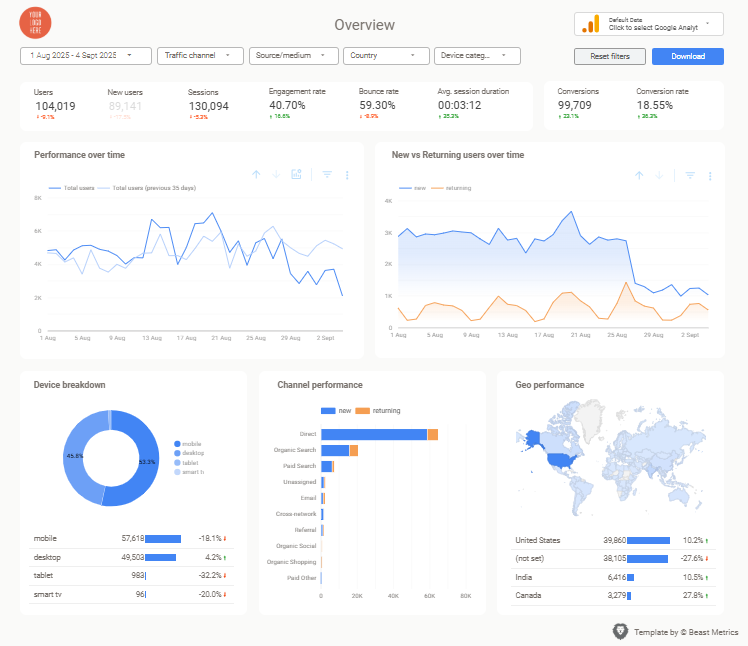
What makes this different:
- Pre-built competitive tracking sections showing Auction Insights data visually
- Automated alerts for impression share drops and position changes
- Keyword gap analysis views highlighting opportunities
- Professional formatting making stakeholder reporting effortless
Instead of spending 15+ hours building custom dashboards, get marketing-expert-designed templates connecting to your data instantly. No coding, no complex setup, just actionable competitive intelligence updating automatically.
Stop wrestling with manual competitive analysis reporting. Start focusing on the strategic decisions that actually move your campaigns forward.