TL;DR:
- Looker vs Looker Studio comes down to scale and governance. Looker serves enterprise needs with powerful semantic modeling, while Looker Studio excels at quick, free visualizations
- Looker requires LookML coding and significant investment; Looker Studio offers no-code, drag-and-drop simplicity at zero cost
- Choose Looker for governed metrics, row-level security, and scalable enterprise analytics across complex data sources
- Choose Looker Studio for marketing dashboards, small team reports, and rapid visualization of Google-connected data
- Both tools can complement each other—Looker Studio can visualize data prepared in Looker’s semantic layer
I’ve spent the last eight years helping businesses navigate Google’s analytics ecosystem, and one question keeps coming up in nearly every consultation: “What’s the actual difference in the Looker vs Looker Studio debate?”
The naming is confusing. Both are Google products. Both handle data visualization. Both have “Looker” in the name. But here’s the truth I tell every client: they’re as different as a bicycle and a Formula 1 race car. Both get you from point A to point B, but the journey, the preparation, and the destination possibilities are worlds apart.
When Google acquired Looker for $2.6 billion in 2019, it signaled the company’s commitment to enterprise business intelligence beyond its free tools. That acquisition helps explain why there are now two products with “Looker” in the name serving completely different markets.
By the end of this Looker vs Looker Studio comparison, you’ll know exactly which tool fits your team’s needs, budget, and data maturity level—so you can avoid the costly mistakes I’ve seen dozens of organizations make.
Quick Answer:
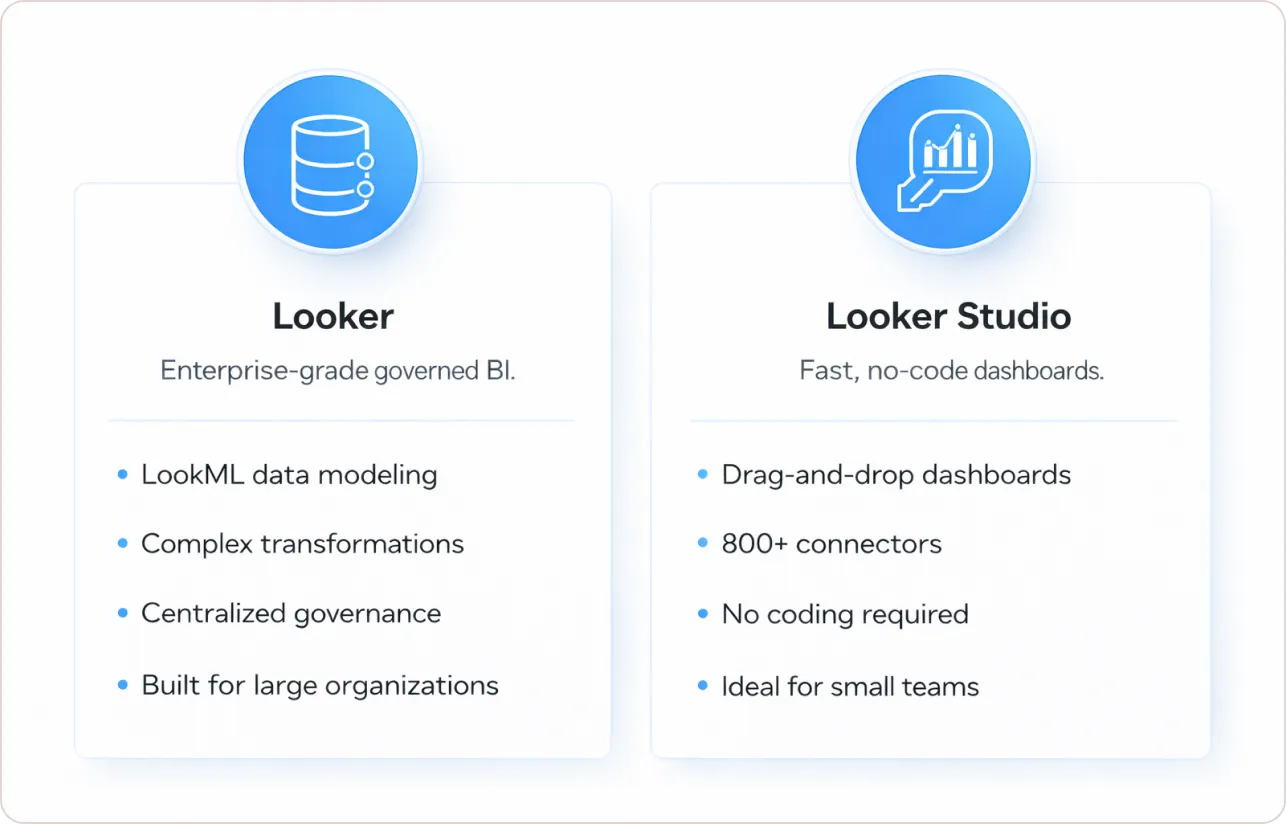
Looker is an enterprise-grade business intelligence platform with advanced data modeling through LookML, designed for large organizations requiring governed analytics and complex data transformations. Looker Studio is Google’s free visualization tool offering drag-and-drop dashboard creation with 800+ connectors, ideal for marketers and small teams needing quick, simple reporting without coding.
What Is Looker Studio?
Looker Studio (formerly Google Data Studio until its 2022 rebrand) is Google’s free business intelligence and data visualization tool. It’s a browser-based platform that connects to over 800 data sources through pre-built connectors, letting anyone create interactive reports and dashboards without writing a single line of code.
With over 4,500 reviews on G2 and a 4.4/5 rating, Looker Studio is one of the most widely adopted free BI tools in the market. In my experience working with marketing teams, Looker Studio provides extensive connectivity options through Google’s native connectors and third-party partner integrations. I’ve seen a small agency go from data chaos to beautiful client dashboards in under two hours using Looker Studio’s intuitive interface.
The key features that make Looker Studio popular include:
- Drag-and-drop report builder requiring zero coding knowledge
- Real-time data connectivity to Google Analytics 4, Google Ads, BigQuery, and hundreds of other platforms
- Collaborative sharing is similar to Google Docs
- Completely free for basic use (Google introduced Looker Studio Pro in 2022 for enterprise collaboration features)
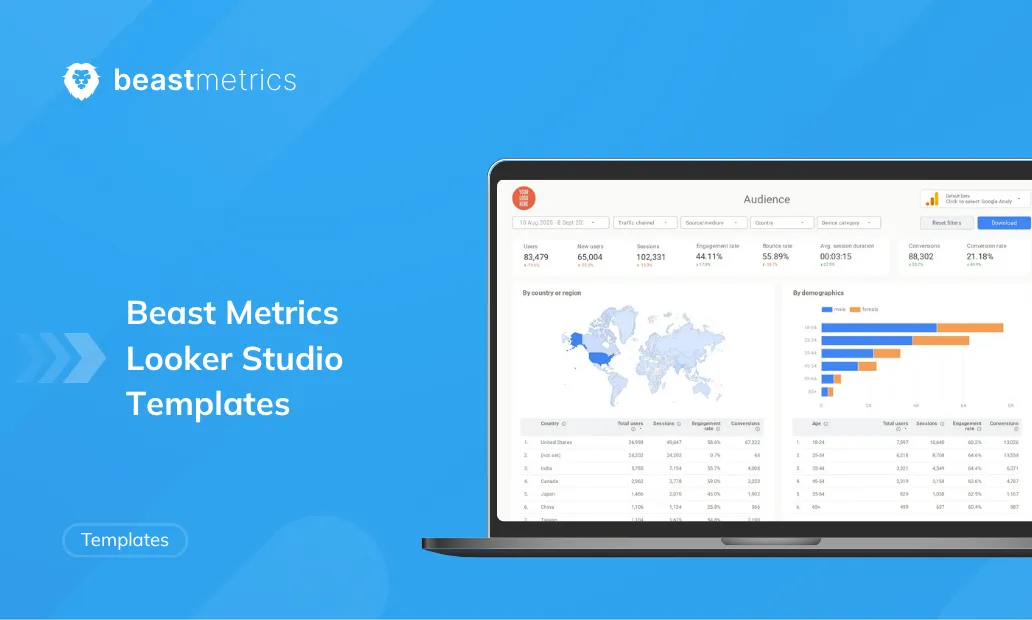
For teams looking to get started with professional visualization, exploring ready-to-use Looker Studio templates can dramatically accelerate your dashboard development and ensure you’re following data visualization best practices from day one.
What Is Looker?
Looker, on the other hand, is Google’s enterprise business intelligence platform—a professional-grade solution for organizations serious about data governance. Gartner named Google a Leader in the 2025 Magic Quadrant for Analytics and Business Intelligence Platforms for the second consecutive year, which speaks volumes about this Looker BI tool’s enterprise capabilities.
The platform’s defining characteristic is LookML (Looker Modeling Language), the language used in Looker to create semantic data models, describing dimensions, aggregates, calculations, and data relationships in your SQL database. This creates what we call a semantic layer—essentially a translation layer that sits between your raw data warehouse and your business users.
Here’s what makes this Looker BI tool powerful for enterprises:
- Centralized data modeling through LookML that creates a single source of truth
- Direct connection to data warehouses (BigQuery, Snowflake, Redshift) without importing data
- Row-level security and granular access controls for enterprise governance
- API-first architecture for embedding analytics into custom applications
- Git-based version control for data models and dashboards
One CTO I worked with last year described the difference perfectly: “Looker Studio is like having a calculator, while Looker is like having a dedicated accounting department with established procedures.”
Looker vs Looker Studio: Side-by-Side Comparison
Here’s the definitive Looker vs Looker Studio breakdown that cuts through the marketing speak:
| Aspect | Looker | Looker Studio |
|---|---|---|
| Primary Function | Enterprise BI platform with data modeling | Free visualization and reporting tool |
| Target Users | Data teams, analysts, and enterprises | Marketers, small teams, non-technical users |
| Data Modeling | Advanced LookML semantic layer | No data modeling; visualizes prepared data |
| Coding Required | Yes (LookML for setup) | No (drag-and-drop interface) |
| Data Storage | No storage; queries data in-place | No storage; connects via APIs |
| Pricing | Enterprise custom pricing (thousands monthly) | Free (Pro version available) |
| Scalability | Handles millions of rows via the warehouse | Limited; slows with large datasets |
| Governance | Row-level security, version control | Basic Google Drive-style sharing |
| Learning Curve | Steep; requires technical expertise | Minimal; intuitive for beginners |
The Data Modeling Difference: Why It Matters
This is where I see the biggest divergence between these two tools in practice. Looker’s semantic layer translates raw data into a language that both downstream users and LLMs can understand, providing trusted business metrics as a central hub for data context, definitions, and relationships.
Think of it this way: without a semantic layer, every analyst in your company might calculate “monthly revenue” slightly differently. One person includes refunds, another doesn’t. One uses the invoice date, another uses the payment date. Before you know it, your CFO and CMO are arguing over which revenue number is correct because they’re literally looking at different calculations.
This centralized approach to metrics is especially critical for e-commerce analytics, where revenue, conversion rate, and customer lifetime value calculations must remain consistent across marketing, finance, and operations teams.
Looker’s semantic modeling allows companies to define the business representation of their data in a semantic layer, without requiring users to have direct access to the underlying database. Now everyone—from the CEO’s dashboard to the marketing analyst’s ad-hoc report—sees the same number, calculated the same way.
Looker Studio, in contrast, has no semantic layer. You connect to your data sources and start building. If you need calculated fields, you create them within each report. This works fine for smaller teams where one person controls all the dashboards, but it falls apart at scale.
I once consulted for a mid-sized e-commerce company using Looker Studio. They had 47 different dashboards, and I found 23 different formulas for calculating “customer lifetime value.” Nobody knew which one was correct.
Google Looker Studio Pricing vs Looker Cost
Let’s talk money, because this is where many people get sticker shock.
Google Looker Studio Pricing: Completely free for the basic version. You can create unlimited reports, share them with unlimited viewers, and connect to hundreds of data sources without spending a dime. Google introduced Looker Studio Pro in 2022, adding team workspaces, automated report delivery, and Google support for organizations needing enterprise features at approximately $5-10 per user per month.
For teams evaluating the Pro version, understanding Looker Studio Pro pricing and the total cost of ownership (including connector fees) is essential for budget planning.
Looker Cost: This Looker BI tool is enterprise software with enterprise pricing. Google doesn’t publish public pricing for Looker, but based on my client implementations and industry sources, Looker licensing typically starts at tens of thousands of dollars annually and can reach hundreds of thousands for large deployments.
The pricing difference reflects the fundamental difference in what you’re buying. Looker Studio is a visualization tool. Looker is a complete data platform with governance, semantic modeling, developer tools, API access, and enterprise support. You’re not just paying for software; you’re investing in a data infrastructure that requires ongoing LookML development and maintenance.
When to Choose Looker vs Looker Studio
After implementing both tools in the Looker vs Looker Studio decision process across dozens of organizations, here’s my practical guide for which tool fits which scenario:
Choose Looker Studio when you:
- Need quick dashboards for marketing campaigns or basic KPI tracking
- Have a small team (under 50 people) accessing reports
- Work primarily within the Google ecosystem (Google Analytics 4 reporting, Ads, BigQuery, Sheets)
- Want zero upfront costs and minimal technical requirements
- Can accept some performance limitations with larger datasets
- Don’t need centralized metric governance across the organization
Choose Looker when you:
- Require a single source of truth for enterprise metrics across departments
- Need row-level security and granular access controls for sensitive data
- Have complex data modeling requirements spanning multiple data warehouses
- Want to embed analytics into your own applications via API
- Need governed, consistent metrics for regulatory compliance
- Have dedicated data analysts or engineers who can manage LookML development
- Process millions of rows of data requiring scalable performance
I’ve also seen organizations successfully use both tools together. One retail client uses Looker for their core financial and operational dashboards (where accuracy and governance are critical), while their marketing team uses Looker Studio (sometimes mistakenly called “Looker Studios”) for campaign performance dashboards (where speed and flexibility matter more).
Key Technical Differences That Matter
Let me highlight a few technical distinctions that rarely get discussed but significantly impact your day-to-day experience in the Looker vs Looker Studio comparison:
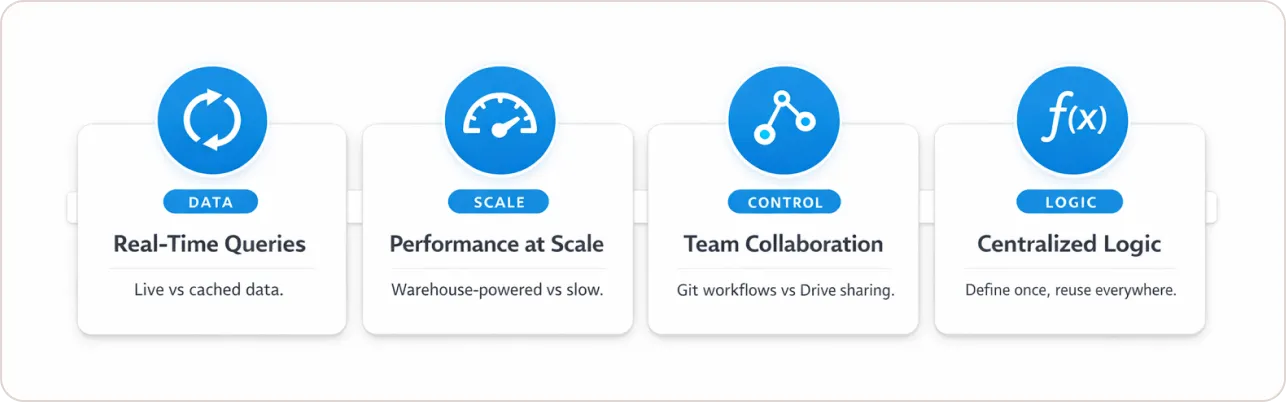
Data refresh and real-time capabilities: The Looker BI tool queries your data warehouse in real-time with every dashboard load, giving you truly live data. Looker Studio typically caches data and may have refresh delays depending on your connector, though Google-native sources refresh more frequently.
Performance at scale: I’ve seen Looker Studio dashboards slow to a crawl when dealing with datasets over 100,000 rows, especially when tracking complex e-commerce events or blending multiple sources. Looker leverages your data warehouse’s computing power, so performance scales with your infrastructure investment.
Collaboration and version control: LookML projects are collections of files that are typically version-controlled together through a Git repository, giving you proper version control, code review processes, and deployment pipelines. For teams managing multiple marketing dashboards, this version control becomes essential as reports multiply and stakeholders request changes. Looker Studio reports live in Google Drive with basic sharing—there’s no formal change management.
Custom calculations and business logic: Creating complex calculated fields in Looker Studio means duplicating formulas across every report that needs them. In Looker, you define it once in LookML, and it’s available everywhere with consistent logic.
For organizations building comprehensive analytics strategies, implementing automated SEO reporting alongside your BI tools ensures marketing and business intelligence work together seamlessly.
Making the Right Choice for Your Organization
The Looker vs Looker Studio choice ultimately depends on three factors: your budget, your data complexity, and your governance requirements.
If you’re a marketing agency creating client dashboards, a startup tracking basic KPIs, or a small business analyzing Google Analytics data, Looker Studio gives you 90% of what you need at zero cost. I’ve seen incredibly sophisticated reporting built entirely in Looker Studio by talented analysts who understand its constraints.
But if you’re an enterprise struggling with “everyone has different numbers,” dealing with sensitive data requiring row-level security, or building analytics that need to scale to thousands of users across departments, Looker’s investment pays for itself through reduced rework, increased trust in data, and faster decision-making.
For teams serious about data-driven decision making, the choice between these tools often determines whether data becomes a strategic asset or remains a source of confusion.
The biggest mistake I see companies make is trying to force Looker Studio to be an enterprise solution or dismissing it as “not powerful enough” when it would actually serve their needs perfectly. Both tools have their place in the modern data stack—the key is honest assessment of where your organization truly sits.
Understanding your SEO analytics reporting needs can help inform whether your organization requires enterprise BI governance or can succeed with lighter-weight visualization tools.