TL;DR
- Most Looker Studio templates break under real agency load because they are designed for demos, not production.
- Beast Metrics templates use the Extract Data architecture to bypass GA4’s token quota limits entirely.
- Reporting is an engineering problem, not a design problem. Infrastructure decides whether a dashboard survives a client call.
- Beast Metrics is a one-time purchase, white-label ready, and deploys across clients in under 15 minutes.
- This post covers eight Beast Metrics templates for GA4, Google Ads, SEO, e-commerce, and AI traffic tracking.
Quick Answer
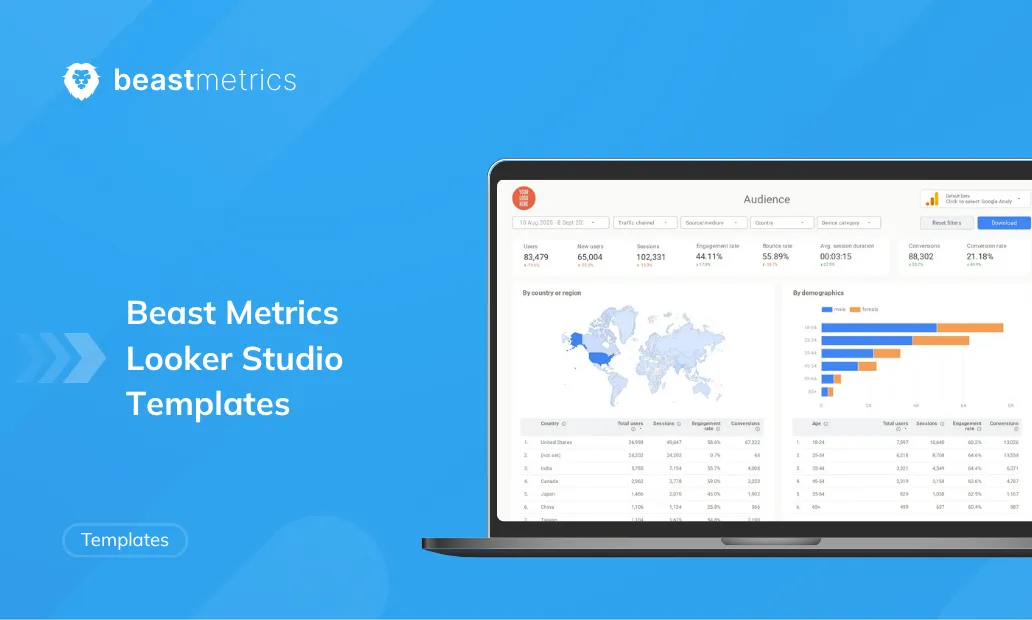
A Looker Studio template is a pre-built, copyable Google dashboard that connects to data sources like GA4, Google Ads, or Search Console. Beast Metrics Looker Studio templates are quota-resistant, white-label ready, and built around marketing-outcome KPIs for agency reporting.
What Is a Looker Studio Template and Why Does Architecture Matter?
A Looker Studio template is a pre-built report structure within Google’s free dashboarding platform that connects to data sources like GA4, Google Ads, or Search Console and displays metrics in a shareable, visual format. The architecture behind how a template pulls data determines whether it stays live under load or fails mid-presentation.
The industry frames template selection as a design competition. It is actually an engineering problem.
I have spent 15 years in digital marketing, and I see the same pattern repeat constantly. An agency owner finds a polished dashboard, copies it, connects it to three client accounts, and within two weeks hits a wall. The report loads in 45 seconds or returns a quota error before a client strategy call. The design was never the issue. The infrastructure was.
According to Google’s GA Data API quota documentation, GA4-connected Looker Studio reports are subject to property-level token quotas enforced per hour. These limits are actively applied and affect how dashboards load when multiple users are viewing or refreshing reports at the same time. Most template providers do not design around this constraint at all. Beast Metrics does.
That single architectural decision is what separates dashboards that survive production from ones that only survive demos.
The 8 Beast Metrics Looker Studio Templates Worth Using in 2026
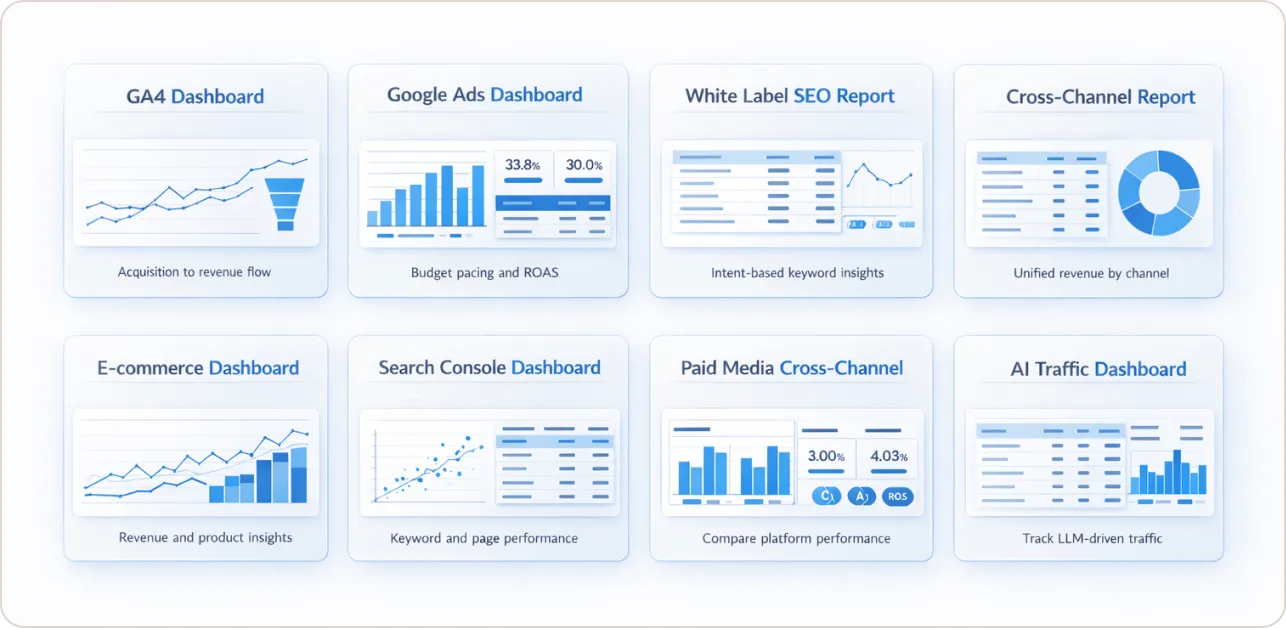
These are the core Beast Metrics templates: what each one covers, who it is built for, and what makes each one different from a generic alternative.
1. Beast Metrics GA4 Looker Studio Template
Best for: Agencies and in-house teams who need GA4 data presented in a client-readable format without GA4’s native UI complexity.
The GA4 interface is widely regarded as unintuitive for non-analysts. The Beast Metrics GA4 Looker Studio template restructures GA4 event data into an Acquisition, Behavior, and Outcomes framework. You see where traffic originates, what users do when they arrive, and which actions generate revenue, without digging through GA4’s exploration reports manually.
Key KPIs included: Sessions by channel, engagement rate, conversion rate by source, revenue per session, and goal completions by landing page.
Architecture note: Uses the Extract Data connector with a daily refresh schedule. Typical load time is under 3 seconds. No live API calls occur during viewing.
2. Beast Metrics Google Ads Dashboard Template
Best for: PPC managers and agencies running Google Ads accounts for multiple clients who need budget pacing and conversion visibility in a single view.
The Beast Metrics Google Ads Looker Studio dashboard is built around a budget pacing formula that tells you immediately whether spend is tracking proportionally to the days elapsed in the billing period.
Pacing % = (Spend to Date / Monthly Budget) / (Days Passed / Total Days in Month)
If pacing is above 1.0, the account is overspending relative to the period. Below 1.0, it is underspending. This surfaces in a single metric rather than requiring manual calculation each time a client asks where their budget stands.
Key KPIs included: Budget pacing %, ROAS, cost per conversion, impression share, Quality Score by campaign, and conversion rate by ad group.
3. Beast Metrics White Label SEO Report Template
Best for: Agencies delivering monthly SEO reports to clients who need a professional, branded deliverable without building from scratch each time.
The Beast Metrics white-label reporting tools automate client reports, connect Google Search Console data, and run automated search intent classification via Regex. Every keyword in your GSC data is tagged as Informational, Navigational, or Transactional without manual sorting. At a glance, you can see which query categories drive revenue and which generate traffic with no commercial value.
Key KPIs included: Impressions, clicks, and CTR by intent category, average position trend, top 20 revenue-driving queries, and pages with high impressions but low CTR flagged for optimisation.
Priority Score formula used to surface optimisation targets:
Priority Score = Impressions x (1 – CTR) x Average Position
Pages with a high Priority Score carry significant impression volume, low click-through, and a mid-range position. These are your highest-return content optimisation opportunities.
4. Beast Metrics Cross-Channel Marketing Report Template
Best for: In-house marketing teams and agencies running paid and organic channels simultaneously who need a single dashboard view across all sources.
The Beast Metrics cross-channel marketing report template blends GA4, Google Ads, and Search Console into a unified channel view. It is built around one question most dashboards fail to answer cleanly: which channel is actually driving revenue, not just traffic.
Key KPIs included: Revenue by channel, ROAS by paid source, organic conversion rate, assisted conversions, and channel-level cost per acquisition.
5. Beast Metrics E-Commerce Looker Studio Template
Best for: Shopify and WooCommerce brands that need revenue attribution and product-level performance tracked in one dashboard.
Most e-commerce dashboards report total revenue and stop there. The Beast Metrics e-commerce Looker Studio template goes further by tracking yield per item, purchase-to-session ratio, and product-level conversion rates. These are the metrics that identify which products drive profit versus which generate volume with thin margins.
Key KPIs included: Revenue by product category, yield per item, cart abandonment rate by traffic source, customer lifetime value trend, and purchase funnel drop-off by step.
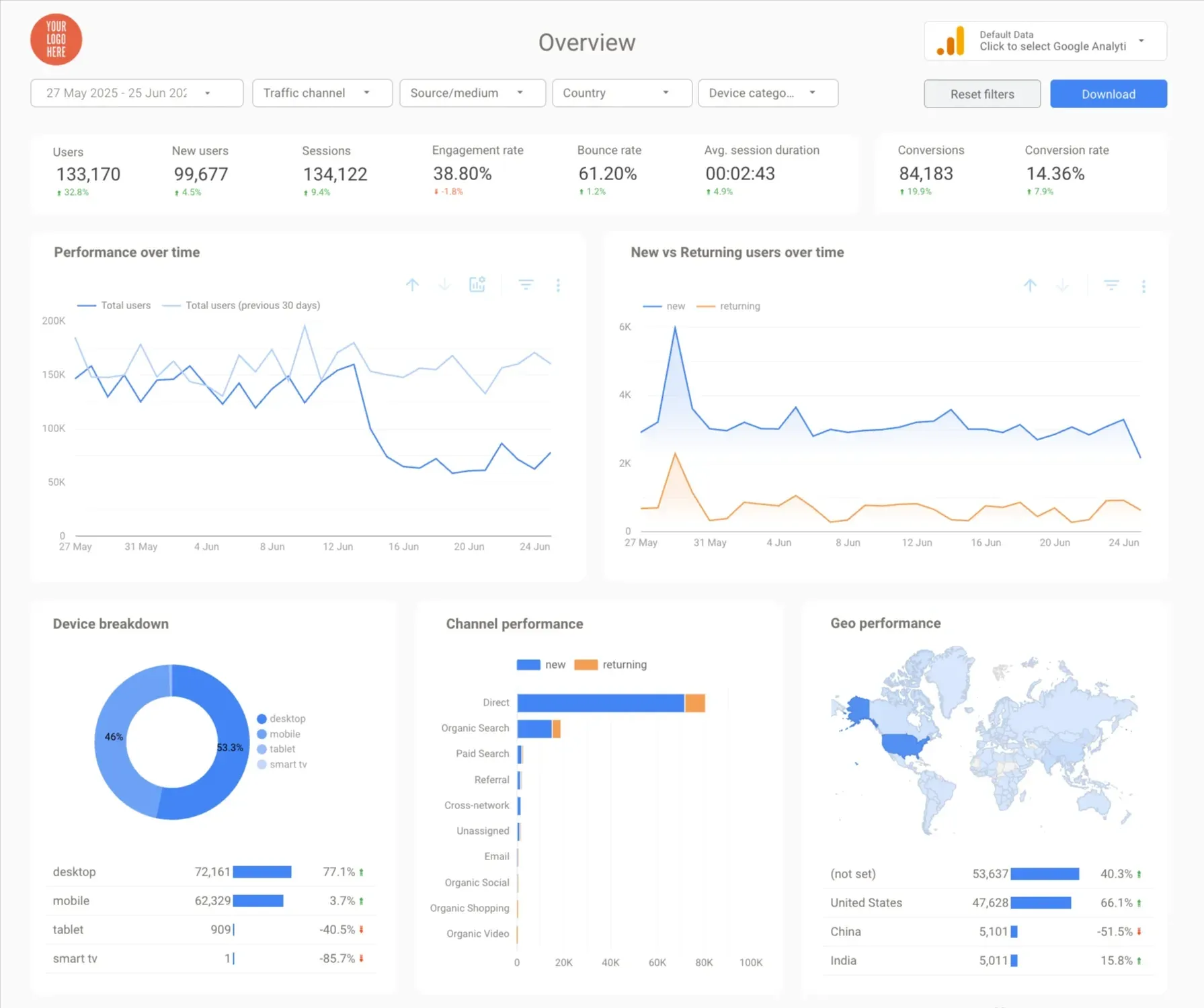
6. Beast Metrics Google Search Console Template
Best for: SEO specialists and content teams who need GSC data presented with enough context to make content decisions, not just passive rank tracking.
The Beast Metrics Google Search Console dashboard surfaces keyword clusters, page-level performance trends, and CTR anomalies that standard GSC reports bury. The same intent classification logic from the white-label SEO report is included here, so you can see keyword intent breakdowns without a separate export.
Key KPIs included: Click trend by page, keyword clusters by topic, position distribution, CTR vs position benchmark, and pages with declining impressions flagged automatically.
7. Beast Metrics Meta Ads and Google Ads Cross-Channel Template
Best for: Agencies managing paid media across both Meta and Google who need side-by-side performance data without exporting two separate reports.
The Beast Metrics paid media cross-channel template connects Meta Ads and Google Ads data in a single Looker Studio dashboard. It is designed for paid media leads who need to answer one question fast: where should the next dollar of budget go? For how these compare with free options in Google’s official gallery, see our roundup of the best Looker Studio templates.
Key KPIs included: CPA by platform, ROAS by campaign type, frequency, and reach from Meta, impression share from Google, and blended paid media ROI.
8. Beast Metrics AI Traffic and LLM Referral Template
Best for: Content teams and SEO specialists who need to track traffic and conversions from AI sources, including ChatGPT, Perplexity, and Google AI Overviews.
This is the template most providers do not yet offer. As AI-surfaced content becomes a measurable share of organic traffic, the inability to segment these referrals creates a significant attribution blind spot. A brand may see declining direct traffic and branded search volume without realizing AI assistant referrals are absorbing that demand, just uncategorised in GA4’s default channel groupings.
The Beast Metrics AI traffic and LLM referral template segments AI traffic by referrer domain, tracks conversions attributed to AI channels, and surfaces which pages are most frequently visited via AI referrals.
Key KPIs included: Sessions by AI referrer, conversion rate by AI source, top pages by AI traffic, and AI-attributed revenue trend.
How Do Beast Metrics Templates Compare to Standard Providers?
| Feature | Free or Generic Templates | Connector-Locked Templates | Beast Metrics |
|---|---|---|---|
| Extract Data architecture | No | No | Yes |
| GA4 quota-resistant | No | Partial | Yes |
| Data freshness | Live, quota risk | Live, quota risk | Cached, daily refresh |
| One-time pricing | Varies | No subscription required | Yes |
| Works after cancelling the provider | N/A | No, template breaks | Yes |
| White-label ready | Rarely | Sometimes | Yes |
| Built-in intent classification | No | No | Yes |
| AI and LLM traffic tracking | No | No | Yes |
| Typical load time | 20 to 45 seconds | 10 to 20 seconds | Under 3 seconds |
| Marketing logic KPI framework | No | No | Yes |
| Real-time data option | Yes | Yes | Via BigQuery upgrade |
One honest tradeoff is worth naming directly. Because Beast Metrics uses Extract Data with a scheduled refresh rather than a live connection, the dashboard reflects the most recent scheduled pull, typically updated daily or every 12 hours. For agencies whose clients review dashboards weekly or bi-weekly, this is not a practical limitation. For teams that need minute-by-minute data, the BigQuery integration path is available, though it adds setup complexity.
Connector-locked templates from providers like Porter Metrics or Supermetrics can produce well-designed dashboards, but they carry a dependency risk. Cancel the connector subscription, and the template stops working. Beast Metrics templates operate on native Google connectors and the Extract Data method, which means no hidden ongoing cost to keep reports functioning.
Why Do Most Looker Studio Templates Break Under Agency Load?
Most Looker Studio templates break in production because they rely on live GA4 API connections that consume tokens every time a chart loads, a filter is applied, or a new user opens the report.
According to Google’s Looker Studio troubleshooting documentation, reports that connect to Google Analytics 4 (GA4) data are subject to GA4 Data API quotas. These quotas are enforced at the property level and include limits like concurrent requests, hourly tokens per property per project, and daily tokens.
A single dashboard with 15 charts, opened by three stakeholders simultaneously, can consume 300 to 400 tokens in under 10 minutes. For an agency with 20 client accounts sharing the same GA4 property configuration, the quota ceiling is not a hypothetical edge case. It is a routine failure point.
The Extract Data connector, used across all Beast Metrics templates, solves this by pulling data from the GA4 API on a scheduled basis and storing the results in Looker Studio’s internal cache. When a user opens the report, they interact with the cached snapshot, not the live API. The quota cost of viewing the report drops to near zero.
As Avinash Kaushik, former Chief Evangelist for Analytics at Google, has written: “Good analysts are great assassins. They are great at finding lame metrics and dimensions and assassinating them.” The same principle applies to dashboard architecture. The best reporting setup removes every unnecessary API call, not just every unnecessary chart.
How Do You Set Up a Beast Metrics Template in Looker Studio?
Setting up a Beast Metrics Looker Studio template takes under 15 minutes from copy to client-ready. Here is the full flow with realistic time estimates.
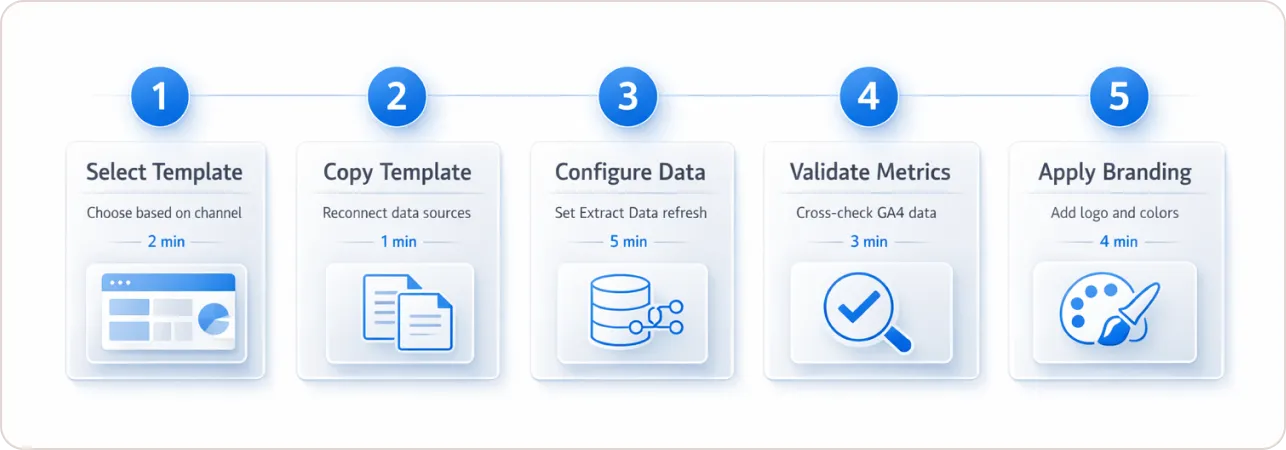
Step 1: Select your template. (2 minutes) Choose based on your primary reporting channel. GA4, Google Ads, SEO, e-commerce, cross-channel, or AI traffic. Each template is purpose-built for its channel, not a generic layout adapted to fit.
Step 2: Copy the template. (1 minute) Use the standard Looker Studio “Make a copy” function. You will be prompted to reconnect data sources at this point. Have your GA4 property ID and Google Ads account ID ready before you start.
Step 3: Configure the Extract Data connector. (5 minutes) This is the step most generic templates skip. Set up the Extract Data connector to pull from your GA4 property on a daily or 12-hour refresh schedule, depending on your client’s reporting cadence. This is what prevents quota errors and keeps load time under 3 seconds.
Step 4: Validate your metrics. (3 minutes) Before sharing with any client, confirm that conversion events are firing correctly in GA4 and that the dashboard dimensions align with your account structure. Cross-check one date range manually against the GA4 native interface to confirm data alignment.
Step 5: Apply white-label customisation. (4 minutes) Swap in your agency logo and client brand colours. Beast Metrics templates include clearly labelled brand panels designed for this handoff. No rebuilding of the underlying structure is required.
According to Google’s Schedule automatic report delivery documentation, Looker Studio supports automated report delivery via email on weekly or monthly cadences. Once the template is live and validated, you can schedule client sends without any manual intervention from that point forward.
What Does Beast Metrics Cost and Is It a One-Time Purchase?
Beast Metrics templates are sold as one-time purchases. There is no monthly subscription, no connector fee, and no third-party platform dependency required to keep reports functioning.
Many agencies absorb subscription-based reporting tools as fixed overhead without calculating the cumulative annual cost across 10 or 20 tool seats. The Beast Metrics model treats reporting infrastructure as a capital investment rather than a recurring expense. You pay once. The template keeps working regardless of what other tools you cancel.
Reporting Infrastructure Is the Deciding Factor, Not Design
Most conversations about Google Looker Studio templates focus on the wrong things: which provider has the best visual design, which library has the most options, which tool connects to the most platforms.
The question that actually determines whether a reporting setup works for an agency is simpler. When your most important client opens their dashboard at 9 am before a strategy call, does it load in under 5 seconds with accurate data, or does it hang and fail?
Beast Metrics was built to answer that question first, and worry about aesthetics second. The Extract Data architecture, the marketing-logic KPI framework, the one-time pricing model, and the AI traffic tracking layer are all downstream of one decision: build a reporting infrastructure that agencies can trust under real conditions.
If you are managing five or more clients, rebuilding reports manually each month, or delivering dashboards you are not fully confident in before client reviews, the infrastructure cost is already there. It is just hidden in wasted hours rather than being invoiced directly.
The fix is not a prettier template. It is a better-engineered one.
Browse all Beast Metrics Looker Studio templates at beastmetrics.io/templates and see which ones match your current channel mix.