Last updated: September 2026. Pricing verified against Google’s official documentation.
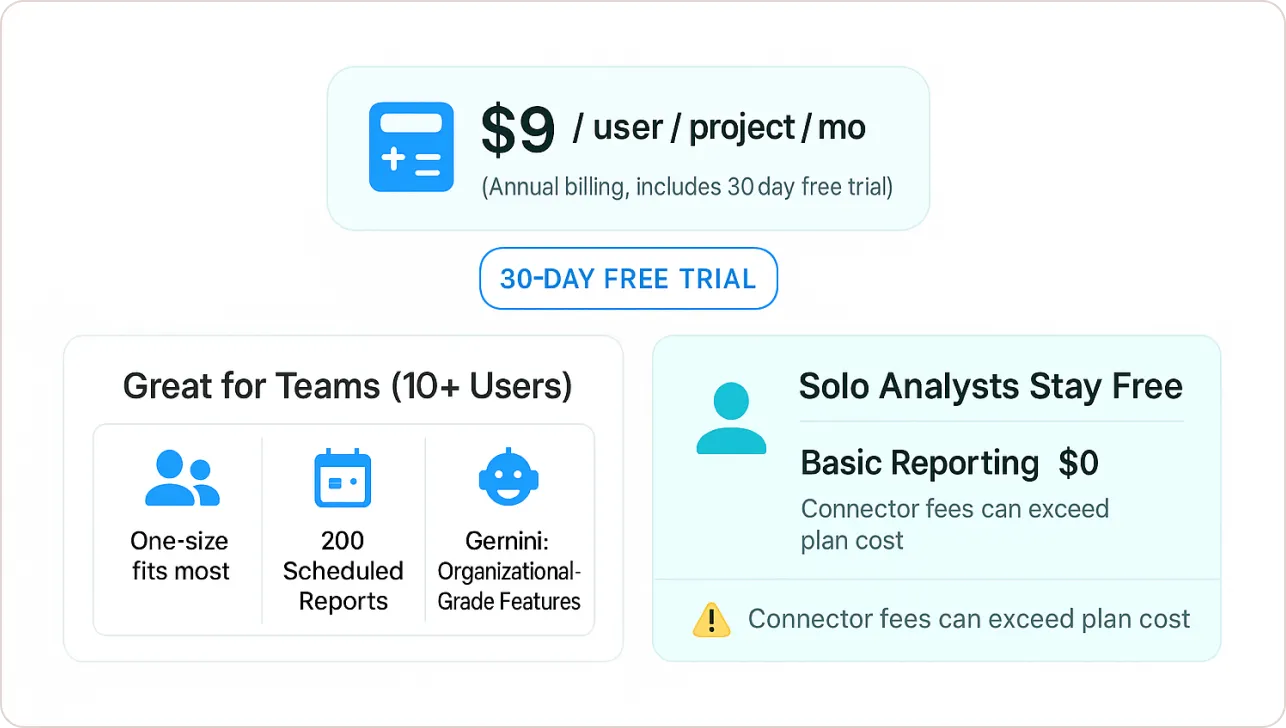
Looker Studio is free. The standard version, which Google renamed Data Studio in April 2026, costs $0 for report creators and viewers. Looker Studio Pro (now Data Studio Pro) costs $9 per user per Google Cloud project per month at Google’s list price, and you can try it free for 30 days. Pro doesn’t give you better charts or faster reports. You pay for organization-owned reports, team workspaces, more scheduling, Gemini AI features, Google Cloud support and a 99.9% uptime SLA.
TL;DR:
- Free version: $0 for creators and viewers, with Google’s built-in connectors, sharing, and one delivery schedule per report.
- Pro price: $9 per user per project per month at list price. 5 users = $45/month ($540/year). 20 users = $180/month ($2,160/year).
- What Pro adds: reports owned by your organization, team workspaces, up to 200 schedules per report, Gemini features, access to Google Cloud Customer Care and an uptime SLA.
- What Pro doesn’t include: third-party connectors, BigQuery usage, or faster dashboards. Those costs are the same on free and Pro.
- New in 2026: Looker Studio is now called Data Studio, and Pro can be bought from the Google Workspace Admin console.
Looker Studio Is Now Data Studio: Did the Price Change?
No. On April 11, 2026, Google announced that Looker Studio is returning to its original name, Data Studio, and the new name went live in the product on April 16, 2026. Existing reports, data sources and users moved over automatically. The free version is still free, and Google’s Data Studio pricing page still lists Pro at $9 per user per project per month.
If you searched for Google Data Studio pricing, this is the same product. Google Data Studio became Looker Studio in October 2022, when Google also launched the Pro tier, and it’s Data Studio again now. Most people still call it Looker Studio, so this guide uses both names.
How Much Does Looker Studio Pro Cost?
Google lists Data Studio Pro (formerly Looker Studio Pro) at $9 per user per project per month. Google also says the per-user price varies with subscription length, so treat $9 as the list price and confirm the price shown before you commit.
Three details decide what you actually pay:
- Per user. You buy individual licenses and assign them to people or teams. You don’t have to license everyone in your organization.
- Per project. Every Pro subscription is tied to exactly one Google Cloud project with an active billing account, so each project you run as its own subscription needs its own licenses.
- 30-day trial. You can try Pro at no cost for 30 days. Billing starts automatically when the trial ends unless you cancel.
Looker Studio Pro cost by team size (list price, one project):
| Licensed users | Monthly cost | Annual cost |
|---|---|---|
| 1 user | $9 | $108 |
| 5 users | $45 | $540 |
| 10 users | $90 | $1,080 |
| 20 users | $180 | $2,160 |
| 50 users | $450 | $5,400 |
| 100 users | $900 | $10,800 |
Figures are list price multiplied out and exclude tax, term discounts and the hidden costs below.
Looker Studio Pricing per User per Month: Worked Examples
Example 1: a 5-person agency. Assumptions: all five people build or manage client reports, everyone works in one Google Cloud project, and the agency pays list price. Cost: 5 x $9 = $45 per month, or $540 per year. If the agency also pays for a third-party connector to pull Meta Ads or LinkedIn data, that subscription comes on top and can be the bigger bill.
Example 2: a 20-person marketing team. Assumptions: 20 licensed users in one project at list price. Cost: 20 x $9 = $180 per month, or $2,160 per year. Google doesn’t require you to license every user, so if only 8 of those people need Pro features, 8 licenses cost $72 per month ($864 per year). Check who needs access to team workspaces before you set the count.
Example 3: the same 20 people across two projects. If two departments run separate Pro subscriptions (one project each) and the same 20 people need licenses in both, that’s 40 licenses: $360 per month at list price. Most small and mid-size teams need only one project.
Is Looker Studio Free?
Yes. Google’s pricing page lists the self-service version at “No charge” for creators and report viewers, and the 2026 rename didn’t change that. You can build reports, connect Google data sources such as GA4, Google Ads, Search Console, Sheets and BigQuery, and share reports without paying Google anything.
The free version’s limits are about teams and automation, not charts:
- Ownership: reports and data sources belong to the person who created them, not to your organization.
- Scheduling: one delivery schedule per report, sent at most once per day, by email only, with no custom subject line or message.
- Email quotas: 200 scheduled emails per day and 800 per month for individual accounts, or 500 per day and 3,000 per month for Google Workspace accounts. Pro has no such cap.
- Support: no Google Cloud Customer Care and no uptime SLA. Help comes from documentation and community forums.
Looker Studio Free vs Pro: Feature Comparison
| Feature | Free (Data Studio) | Pro (Data Studio Pro) |
|---|---|---|
| Price | $0 | $9 per user per project per month (list price) |
| Who owns reports | The individual creator | Your organization, through a Google Cloud project with IAM permissions |
| Team workspaces | Not available | Shared workspaces with Manager, Content Manager and Contributor roles |
| Scheduled delivery | 1 schedule per report, up to once a day, email only | Up to 200 schedules per report, up to hourly, plus Google Chat, Slack and alerts |
| Support and SLA | Documentation and community help, no SLA | Google Cloud Customer Care (with a Cloud support plan) and a 99.9% monthly uptime SLA |
| AI features | Conversational Analytics (chat with your data) | Adds Gemini in Data Studio: calculated fields from plain-language prompts, report charts in Google Slides, Code Interpreter |
| Security controls | Standard Google account sharing | Adds customer-managed encryption keys (CMEK), customer-managed storage and data residency controls |
| Personal report links | Not available | Each recipient gets a private copy of the report |
| Mobile | Browser | Access through the Looker mobile app |
| Connectors | Google connectors included; third-party connectors paid separately | Same as free. Pro doesn’t include or discount third-party connectors |
What the Gemini Features Cost
Gemini in Data Studio needs a Pro subscription and is switched on automatically for Pro subscriptions created on or after June 3, 2025. Its main features, calculated fields from plain-language prompts and adding report components to Google Slides, are in Preview: Google says they’re available at no additional cost for a limited time and may require an additional fee afterward. Our Looker Studio AI guide covers what they do in practice.
The Ownership Problem That Breaks Free Setups
In the free version, every report belongs to whoever created it. If that person leaves and their account is deleted before ownership is transferred, the team can lose the reports and data sources. Pro puts content in team workspaces owned by a Google Cloud project your organization controls, with access managed through IAM.
How to Buy Looker Studio Pro
You can start a Pro subscription in three places: inside Data Studio, in the Google Cloud console, or, since February 5, 2026, in the Google Workspace Admin console (Billing, then Buy or upgrade). Google’s setup docs list these requirements:
- You need a managed Google account through Google Workspace or Cloud Identity. A personal Gmail account can’t start a Pro subscription.
- Your organization must own the Google Cloud project, and the project needs an active billing account.
- The person setting it up needs the Owner or Looker Studio Pro Manager IAM role on that project.
- A project can hold only one Pro subscription.
Buying through the Workspace Admin console is still a separate license purchase, so Pro isn’t included just because you pay for Workspace. If the option is missing, Google says Pro isn’t currently offered in your country or region.
Already paying for Looker (Google Cloud core)? Its instances include 50 complimentary Pro licenses by default, but not instances created after August 1, 2026.
The Hidden Costs of Looker Studio (Free and Pro)
For many marketing teams the $9 license isn’t the biggest line item. These costs apply whether you’re on free or Pro.
1. Third-Party Data Connectors
Google’s own connectors (GA4, Google Ads, Search Console, Sheets, BigQuery, YouTube Analytics and others) come with the product. Meta Ads, LinkedIn, TikTok, Shopify, HubSpot and most other non-Google platforms usually need partner connectors, which third parties build and sell with their own pricing. Pro doesn’t include or discount them. Check each vendor’s current pricing page and compare it with the license math above: for a small agency, one connector subscription can cost more than several Pro licenses.
2. BigQuery Usage
If your reports read from BigQuery, BigQuery charges for the queries those reports run, on free and Pro alike. Under on-demand pricing, the first 1 TiB of query data processed each month is free, then Google charges $6.25 per TiB at its standard rate (rates vary by region). The first 10 GiB of storage each month is also free. Busy dashboards on large unpartitioned tables add up; partitioned and pre-aggregated tables keep scans small.
3. Time
The cost most budgets miss is the hours spent building, fixing and rebuilding reports. Pro doesn’t reduce it: the report editor, charts and connectors are the same in both versions. Starting from a tested template does. Beast Metrics templates are built to run on the free version, so you can set up client-ready GA4, Google Ads or Search Console reports without paying for Pro.
4. Performance Doesn’t Improve With Pro
Pro doesn’t make slow reports faster. Google’s Pro feature list covers ownership, workspaces, scheduling, security, AI and support, not query speed or data limits. Fix slow dashboards at the data layer: fewer charts per page, pre-joined tables instead of heavy blends, and extracted data sources.
When Looker Studio Pro Is Worth Paying For
Pro makes sense when the problem is shared ownership, scale or accountability, not when you want better-looking reports.
Agencies Managing Many Client Reports
Team workspaces keep every client report under the agency’s Google Cloud project instead of a dozen personal accounts, so a departing account manager doesn’t take reports with them. Up to 200 delivery schedules per report, hourly sends, and delivery to Google Chat or Slack let one master report serve many stakeholders. Personal report links give each recipient a private copy that only they can open. If client reporting is your main use case, our client reporting dashboard guide covers how to structure it.
Teams With Security or Compliance Requirements
If your IT or compliance team needs to control who can reach reporting data, Pro connects Data Studio to Google Cloud identity and access management. Admins set permissions at the project level with IAM, and Pro adds customer-managed encryption keys (CMEK), customer-managed storage and data residency controls. Pro doesn’t make you compliant on its own, but it gives your security team central controls.
Reporting People Depend on Every Day
The free version has no uptime commitment. Pro carries a 99.9% monthly uptime SLA with service credits if Google misses it (10% to 50% of the monthly bill, depending on the shortfall), and Pro subscribers with a Google Cloud support plan can open cases with Google Cloud Customer Care. If executives or clients check a dashboard every morning, that safety net can justify the license on its own.
Who Should Skip Pro (And Save Their Money)
Solo Analysts and Freelance Consultants
If you work alone or with one trusted colleague, the free version’s sharing is enough. Pro also needs a managed Google account (Workspace or Cloud Identity) and a Cloud project with billing, which is a lot of setup for one person.
Small Businesses with Simple Internal Reporting
If you track a handful of KPIs in one or two dashboards for internal use, the free version covers it. One daily scheduled email per report is usually enough for a small team.
Budget-Constrained Teams Accepting Workarounds
These free-version workarounds cover the most common Pro needs, at the cost of some manual work:
- Create reports from a shared company account (for example, analytics@yourcompany.com) so ownership doesn’t sit with one employee.
- On Google Workspace, have an admin transfer report ownership before an employee’s account is deleted.
- Share a live report link, or send updates manually, instead of stacking multiple schedules.
Looker Studio vs Looker Pricing
Looker Studio (now Data Studio) is the free dashboard tool with an optional $9 Pro tier. Looker, sold as Looker (Google Cloud core), is Google’s enterprise BI platform built on the LookML semantic model. Google doesn’t publish a list price for it: the Standard, Enterprise and Embed editions are sold on annual commitments, and the Looker pricing page tells you to call sales. Each Looker platform includes 10 Standard Users and 2 Developer Users, with additional users priced by role on top of the platform fee.
If you’re a marketer or agency building client dashboards, you almost certainly want Looker Studio, not Looker. Our Looker vs Looker Studio comparison explains the differences in detail.
Looker Studio Pro vs Alternatives: Pricing Compared
Published list prices as of September 2026. They change often, so confirm on each vendor’s pricing page.
| Platform | Published price | Notes |
|---|---|---|
| Data Studio (Looker Studio) | $0 | Free for creators and viewers; no SLA or organization-owned content |
| Data Studio Pro (Looker Studio Pro) | $9 per user per project per month | Price varies with subscription length; 30-day trial |
| Microsoft Power BI Pro | $14 per user per month, paid yearly | Needed to publish and share reports; Power BI Free doesn’t include sharing |
| Microsoft Power BI Premium Per User | $24 per user per month, paid yearly | Larger models and more frequent refreshes |
| Tableau Cloud (Creator) | $75 per user per month, billed annually | Standard edition; Explorer and Viewer licenses cost less. See Tableau’s pricing page |
| Whatagraph | From €699 per month, billed annually | Agency reporting platform with its own connectors; higher plan is custom-priced |
| Looker (Google Cloud core) | Quote-based, annual commitment | Enterprise BI with LookML; contact Google sales |
Looker Studio Pro vs Power BI Pro
At list price, Looker Studio Pro is $9 per user per project per month and Power BI Pro is $14 per user per month paid yearly, so Pro is cheaper per seat. The free tiers differ too: free Data Studio lets you share reports, while Power BI Free doesn’t. The bigger difference is ecosystem. If your data lives in GA4, Google Ads, Search Console, Sheets and BigQuery, Data Studio connects to all of them natively. If your company runs on Microsoft 365 and Azure, or needs heavy data modeling with Power Query and DAX, Power BI is usually the better fit.
A Simple Decision Framework
Upgrade to Looker Studio Pro if:
- Several people build and maintain shared reports and you need team workspaces with roles.
- Losing reports when someone leaves would hurt, and you want content owned by the organization.
- Your security team needs control through IAM, CMEK or data residency.
- You need more than one schedule per report, hourly delivery, Slack or Google Chat delivery, or alerts.
- Clients or executives rely on the dashboards and you want an uptime SLA and Google Cloud support.
- You want the Gemini features, such as calculated fields from plain-language prompts, knowing they’re still in Preview.
Stick with Free Looker Studio if:
- You work alone or in a very small team and one person owns the reports.
- Your reporting is simple and internal, and one daily email per report is enough.
- You don’t have a managed Google account or a Cloud project and don’t want to set them up.
- You already pay for another BI tool for critical reporting.
Next Step: Try Pro Before You Pay
If the upgrade list describes your team, start the 30-day trial from Google’s Data Studio page and move one real report into a team workspace before billing starts.
Staying on the Free Version?
The things that make a report useful, the right metrics, a clean layout and working filters, don’t depend on Pro. Our comparison of free vs paid Looker Studio templates can help you pick a starting point.