Key Highlights
• Marketing automation eliminates manual tasks, freeing up 10+ hours weekly for strategic work
• Personalized messaging at scale drives 3x higher conversion rates than generic campaigns
• Automated lead nurturing ensures no prospect falls through the cracks
• ROI tracking becomes clear when automation integrates with comprehensive reporting dashboards
• Small agencies compete with enterprise teams using automation tools without expanding headcount
Introduction
A few months ago, I was juggling email campaigns for six different clients, manually sending follow-ups, and trying to track which leads came from where. Every morning started with the same routine: opening spreadsheets, checking who hadn’t responded to last week’s emails, and copying contact lists between platforms. I was spending more time on administrative busywork than actually developing strategies that moved the needle for my clients.
That’s when I discovered marketing automation – and it completely transformed how I manage campaigns. Tasks that used to eat up entire afternoons now happen automatically. Better yet, my clients started seeing better results because no lead fell through the cracks, and every prospect received perfectly timed, personalized communication.
If you’ve ever felt overwhelmed by the sheer volume of marketing tasks or wondered how successful agencies manage dozens of campaigns simultaneously, you’re about to discover the game-changer that levels the playing field.
What is marketing automation?
“It’s a software that handles repetitive marketing tasks automatically – from sending welcome emails to scoring leads to nurturing prospects through your sales funnel.”
What Is Marketing Automation?
What is marketing automation? At its core, marketing automation is software that handles repetitive marketing tasks based on triggers and customer behavior, delivering the right message to the right person at exactly the right time – without manual intervention.
Understanding what is marketing automation becomes clearer when you think of it as hiring a tireless assistant who never forgets to follow up, never sends the wrong email to the wrong person, and works 24/7 to nurture your leads.
This introduction to marketing automation shows how when someone downloads your lead magnet, automation sends them a welcome sequence. When they abandon a shopping cart, they get a gentle reminder. When they haven’t engaged in 30 days, they receive a re-engagement campaign.
The magic of marketing automation happens through workflows – essentially “if this, then that” rules you set up once that run indefinitely as part of your marketing technology stack:
- If someone subscribes to your newsletter → Then send welcome email with your best resources
- If a lead visits your pricing page 3+ times → Then notify sales team and send case study email
- If customer hasn’t purchased in 60 days → Then send personalized win-back offer
How Marketing Automation Actually Works
This marketing automation guide breaks the process down into five key components that work together in your marketing technology stack:
- Data Collection: Gathering information from website forms, email interactions, social media engagement, and purchase behavior
- Segmentation: Organizing contacts based on behavior, demographics, or engagement level
- Trigger Setup: Defining specific actions or time intervals that launch automated sequences
- Content Delivery: Sending personalized emails, texts, or social messages based on triggers
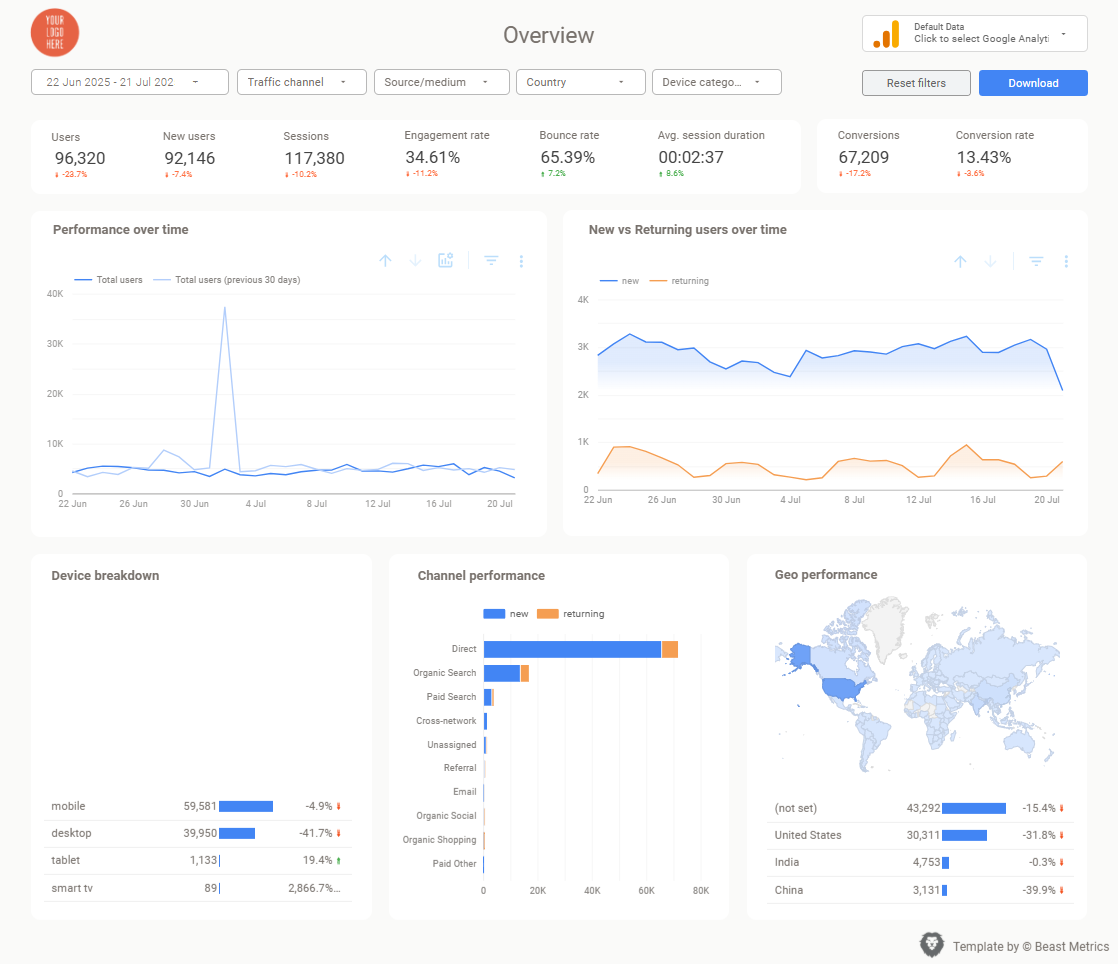
- Performance Tracking: Monitoring open rates, clicks, conversions, and marketing automation ROI across all automated campaigns using tools like Looker Studio templates
How Marketing Automation Actually Works
Why Marketing Automation Matters for Agencies and Marketers
Marketing automation isn’t just convenient – it’s become essential for staying competitive. According to HubSpot’s State of Marketing Report, companies using marketing automation see 451% increase in qualified leads and 34% growth in sales-ready leads.
Save Time and Eliminate Manual Tasks
The most immediate benefit is reclaiming hours of your day. Instead of manually sending follow-up emails, updating lead scores, or segmenting contact lists, automation handles these tasks instantly and accurately.
I used to spend Monday mornings updating client campaigns, checking who needed follow-ups, and preparing weekly email blasts. Now those same campaigns run automatically, and I use Monday mornings for strategic planning and new campaign development. The time savings compound quickly – what used to take 15 hours weekly now happens automatically.
Deliver Consistent Lead Nurturing
Manual follow-up is inconsistent and doesn’t scale. You might remember to follow up with hot leads but forget about prospects who downloaded an ebook six months ago. Automation ensures every lead receives appropriate nurturing regardless of volume.
Example: A prospect downloads your “Ultimate Facebook Ads Guide.” Automation immediately sends the download link, adds them to your Facebook ads email sequence, tags them as interested in paid social, and schedules follow-up emails with case studies, additional resources, and eventually a consultation offer. This happens for every download, whether it’s your first lead or your thousandth.
Increase Conversions Through Personalization
Epsilon research shows 80% of consumers are more likely to purchase when brands offer personalized experiences. Automation makes personalization scalable by delivering relevant content based on specific actions and interests.
Rather than sending generic newsletters to everyone, you can automatically send:
- SaaS prospects → case studies about software companies
- E-commerce leads → tips for increasing online sales
- Local businesses → guides for community marketing
Improve Client Results and Retention
Automated campaigns often outperform manual efforts because they’re consistent, timely, and data-driven. When clients see better results, they’re more likely to increase budgets and continue working with you long-term.
Want to showcase these improvements to your clients? Download Our Automation ROI Template
Types of Marketing Automation Every Agency Should Use
Understanding different automation types helps you choose the right approach for specific client goals and industries.
Email Marketing Automation
Welcome Series: Automatically onboard new subscribers with your best content, company story, and clear value proposition over 3-5 emails.
Lead Nurturing Sequences: Move prospects through your funnel with targeted content that addresses specific pain points and gradually introduces your solution.
Customer Onboarding: Guide new customers through setup, best practices, and advanced features to increase satisfaction and reduce churn.
Lead Scoring and Management
Behavioral Scoring: Automatically assign point values to actions like email opens (+5), website visits (+10), demo requests (+25), and pricing page views (+20).
Sales Notifications: Alert sales teams immediately when leads reach certain score thresholds or take high-intent actions like requesting consultations.
Social Media and Content Automation
Post Scheduling: Plan and publish content across platforms automatically, maintaining consistent presence without daily management.
Social Listening: Monitor brand mentions and automatically respond to comments or direct messages based on predefined criteria.
Retargeting and Re-engagement
Website Behavioral Triggers: Send targeted emails based on pages visited, time spent on site, or specific actions taken.
Win-Back Campaigns: Automatically identify inactive subscribers or customers and send personalized re-engagement sequences.
Getting Started: Your First Marketing Automation Campaign
Don’t try to automate everything at once. Start with one high-impact workflow and expand as you see results.
Step 1: Choose Your First Automation
Best starter campaigns:
- Welcome email series for new subscribers (high open rates, immediate value)
- Abandoned cart recovery for e-commerce clients (directly impacts revenue)
- Lead magnet follow-up sequence (nurtures prospects effectively)
Choose based on your biggest time drain or highest-value opportunity.
Step 2: Map Your Workflow
Document the customer journey step-by-step:
- What triggers the automation? (form submission, purchase, email click)
- What happens immediately? (welcome email, thank you message)
- What follow-up actions occur? (additional emails, sales notifications, lead scoring)
- How does the sequence end? (conversion, unsubscribe, manual handoff)
Step 3: Create Your Content
Write emails that sound human, not robotic. Use conversational tone, provide genuine value, and include clear next steps. Each email should serve a specific purpose in moving prospects toward conversion.
Template structure:
- Subject: Clear, curiosity-driven, personal
- Opening: Reference their specific action or interest
- Value: Provide useful content, insights, or resources
- Next step: One clear call-to-action
Step 4: Set Up Tracking and Measurement
Define success metrics before launching:
- Open rates: Industry average is 21%, aim for 25%+
- Click-through rates: Target 2-3% minimum
- Conversion rates: Varies by industry, track improvement over time
- Revenue attribution: Connect automated campaigns to actual sales
Essential Marketing Automation Tools
The automation landscape offers solutions for every budget and complexity level.
Email Marketing Platforms with Automation
Entry-level options like Mailchimp and ConvertKit offer basic automation workflows perfect for simple sequences and small contact lists.
Mid-tier solutions such as ActiveCampaign and HubSpot provide advanced segmentation, behavioral triggers, and CRM integration.
Enterprise platforms like Marketo and Pardot handle complex, multi-channel automation for large organizations.
All-in-One Marketing Platforms
These combine email automation with landing pages, CRM, social media management, and analytics in single platforms. They’re ideal for agencies managing multiple clients because everything integrates seamlessly.
Integration and Reporting Tools
The key to successful marketing automation is connecting all your marketing technology stack components. Your automation platform should integrate with:
- Google Analytics for website behavior data
- CRM systems for sales pipeline tracking
- Social media platforms for engagement data
- E-commerce platforms for purchase behavior
For comprehensive performance tracking, consider connecting automation data to Google Looker Studio templates that visualize the complete customer journey from first interaction to final conversion. This gives you clear marketing automation ROI attribution and helps identify which automated sequences drive the most valuable results.
Professional Looker Studio templates designed for marketing automation tracking can automatically pull data from your automation platform, email metrics, and conversion tracking to create client-ready reports that demonstrate the true impact of your automated campaigns.
Measuring Marketing Automation Success
Creating automated campaigns is only half the battle – measuring their effectiveness separates successful agencies from those just going through the motions.
Key Metrics to Track
Email-Specific Metrics:
- Delivery rate (should be 95%+ or investigate list quality)
- Open rate (benchmark against industry averages)
- Click-through rate (measures content relevance and compelling calls-to-action)
- Unsubscribe rate (under 0.5% indicates good content/frequency balance)
Business Impact Metrics:
- Lead conversion rate (percentage of automated leads that become customers)
- Customer acquisition cost (total automation costs divided by new customers acquired)
- Revenue per email (total revenue attributed divided by emails sent)
- Customer lifetime value improvement (automated nurturing often increases LTV)
Advanced Tracking Strategies
Attribution Modeling: Track which touchpoints in your automated sequences contribute most to conversions. Did prospects convert after the welcome email, case study, or final offer?
Cohort Analysis: Compare conversion rates and engagement over time to identify the most effective sequence timing and content.
A/B Testing: Test subject lines, send times, content formats, and call-to-action buttons to continuously improve performance.
Reporting Automation Performance
When presenting automation results to clients, focus on business impact rather than vanity metrics. Create dashboards that show:
- Revenue directly attributed to automated campaigns
- Time savings compared to manual processes
- Lead quality improvements (higher engagement, faster conversions)
- Scale achievements (handling 10x more leads with same team size)
Consider using comprehensive Looker Studio templates that combine marketing automation data with other marketing channels to show the complete performance picture. These data report templates help clients understand automation’s role in their overall marketing success and provide clear marketing automation ROI calculations.
Common Marketing Automation Mistakes (and How to Avoid Them)
Even well-intentioned automation can backfire. Here are the pitfalls I’ve seen agencies make and how to avoid them:
Over-Automation That Feels Robotic
The Problem: Setting up so many automated touchpoints that customers feel like they’re interacting with machines rather than humans.
The Solution: Maintain genuine, conversational tone in all automated content. Include personal anecdotes, use contractions, and write like you’re talking to a friend. Also, don’t automate every interaction – some situations require human responses.
Ignoring Segmentation
The Problem: Sending the same automated sequence to everyone regardless of their interests, behavior, or position in the buying cycle.
The Solution: Create different sequences for different segments. B2B prospects need different nurturing than B2C customers. High-value leads deserve more personal attention than newsletter subscribers.
Setting and Forgetting
The Problem: Creating automated campaigns and never reviewing their performance or updating content.
The Solution: Schedule monthly automation audits. Check metrics, refresh outdated content, test new subject lines, and optimize based on performance data.
Poor Timing and Frequency
The Problem: Sending too many emails too quickly, or spacing them so far apart that prospects forget about you.
The Solution: Test different intervals and monitor unsubscribe rates. Generally, welcome sequences can be more frequent (daily for first week), while nurture sequences work better with 3-7 day gaps.
Industry-Specific Automation Examples
While automation principles are universal, implementation varies significantly by industry:
E-commerce Automation
- Abandoned cart recovery (typically 3-email sequence over 7 days)
- Post-purchase upsells (complementary products based on purchase history)
- Replenishment reminders (for consumable products)
- VIP customer programs (special offers for high-value customers)
B2B Service Automation
- Lead nurturing sequences (educational content over 30-60 days)
- Webinar follow-ups (recordings, related resources, consultation offers)
- Contract renewal reminders (for subscription services)
- Referral program triggers (after successful project completion)
Agency-Specific Automation
- Client onboarding sequences (welcome materials, process explanations, expectation setting)
- Prospect education sequences (case studies, methodology explanations, results examples)
- Testimonial collection (automated requests after project milestones)
The Future of Marketing Automation
Artificial intelligence is making automation more sophisticated and effective:
Predictive Analytics helps identify which leads are most likely to convert, allowing more targeted automation sequences.
Dynamic Content automatically personalizes email content, product recommendations, and offers based on individual behavior patterns.
Smart Send-Time Optimization analyzes when each recipient typically opens emails and automatically schedules delivery for maximum engagement.
Conversational AI enables chatbots to qualify leads and trigger appropriate automated sequences based on conversation outcomes.
While AI enhances capabilities, the fundamentals remain unchanged: provide value, maintain human connection, and focus on helping prospects solve problems rather than just promoting products.
How Beast Metrics Supports Your Marketing Automation Success
One challenge with marketing automation is proving its value to clients through clear, professional reporting. While your marketing automation platform shows basic email metrics, clients want to see how these campaigns impact their overall business goals and marketing automation ROI.
That’s where Google Looker Studio templates become crucial for agencies. Our Looker Studio templates are designed specifically for marketers running automated campaigns – they combine email performance data with website analytics, conversion tracking, and revenue attribution to show the complete story of your marketing automation guide success.
Instead of explaining automation success through platform-specific dashboards that clients can’t access or understand, you can present professional Looker Studio reports that clearly demonstrate marketing automation ROI across all marketing channels. Our data report templates include sections for automation-specific metrics like sequence performance, lead scoring progression, and lifecycle stage advancement – all visualized in client-friendly formats.
This Looker Studio reporting capability becomes especially valuable when justifying marketing automation investments or proposing expanded campaigns. Clients can see exactly how automated nurturing affects their bottom line through clear, professional Looker Studio templates that integrate seamlessly with your marketing technology stack.
By connecting your marketing automation platforms to our Looker Studio templates, you can demonstrate the true value of what is marketing automation to clients who need to see concrete business results, not just email open rates.
Conclusion
Marketing automation transforms scattered, manual marketing tasks into systematic, scalable processes that work around the clock to nurture leads and drive conversions. We’ve covered everything from understanding what is marketing automation to advanced implementation strategies that successful agencies use to scale their client results and maximize marketing automation ROI.
The key insight from this introduction to marketing automation is that automation isn’t about replacing human creativity – it’s about eliminating repetitive busywork so you can focus on strategy, relationship building, and campaign optimization that actually moves the needle for your marketing technology stack.
Start with one simple marketing automation workflow, measure its impact through proper tracking and Looker Studio templates, and gradually expand your automated marketing system. As you build confidence with the technology, you’ll discover opportunities to automate increasingly sophisticated campaigns that would be impossible to manage manually.
Your prospects are already receiving automated communications from your competitors. The question isn’t whether to implement marketing automation – it’s how quickly you can get started, how effectively you can measure marketing automation ROI, and how professionally you can report results using tools like Looker Studio templates that demonstrate clear business impact.
Remember, the goal isn’t perfect marketing automation from day one. It’s consistent improvement that compounds over time, freeing up strategic thinking time while delivering better results for every client through your optimized marketing technology stack.
Frequently asked questions
You cannot find your question? Feel free to contact us